LLM_log #028: How Language Models Call Tools — Tool Primitives, CodeAct, Chat Templates, and Constrained Decoding
How Language Models Call Tools — Tool Primitives, CodeAct, Chat Templates, and Constrained Decoding
Highlights: Graham Neubig’s lecture on tool use in the CMU 11-768 AI Agents course (Fall 2026) treats tools as the interface through which a language model invokes an external program, and code as a meta-tool that collapses long chains of single API calls into one action. We walk through why agents need tools, the five foundational tool primitives, the CodeAct paradigm and its execution risks, how tool calls are serialized as tokens across model protocols, and how JSON Schema plus grammar-constrained decoding keeps those calls well-formed.
- Extending vs. facilitating: tools either give a model capabilities it fundamentally lacks (current time, private state, external actions) or make something it can already do faster and more reliable (exact computation), and are worth calling only when the benefit outweighs latency, cost, failure and risk.
- Five tool primitives: textual responses with explicit
finish(text)or implicit termination, web search, image generation, code execution in a sandbox, and arbitrary custom API functions — with ChatGPT itself now operating as an agent through iterative tool calls. - Code as a meta-tool: a single program expresses assignments, loops, conditionals, libraries and custom helpers, and the CodeAct results show code gave the best success rate for 8/8 displayed models and the fewest turns for 7/8 (12/17 on both counts across all models).
- Costs of high-power tools: infinite loops, compromised third-party libraries, a large action space that is hard to validate, and heavier memory, disk and CPU footprints push programmatic tool calling toward sandboxing and isolation.
- Protocol diversity: Qwen wraps calls in
<tool_call>inside<|im_start|>/<|im_end|>, Mistral uses[TOOL_CALLS]with a call ID, DeepSeek uses DSMLinvokeblocks — so use the model’s own chat template viaapply_chat_templateand match the format when fine-tuning. - Constrained decoding: JSON Schema pins down syntax, shape, types and values; since JSON is context-free rather than regular, XGrammar compiles the schema into a pushdown automaton and masks invalid logits to −∞ at each decoding step — constraints ensure form, not truth, permissions, tool choice or task success.
Tutorial Overview:
- Why Agents Need Tools: Extending vs. Facilitating LLMs
- Core Tool Primitives in Production Agents
- Programmatic Tool Calling and Composition
- The CodeAct Paradigm: Expressiveness, Performance, and Execution Risks
- Token-Level Tool Call Representations in Prompts
- Model Protocol Diversity and Agent Dispatch Lifecycles
- Malformed Output Failures and JSON Schema Constraints
- Grammar-Constrained Decoding Mechanics and Optimization
- Summary
1. Why Agents Need Tools: Extending vs. Facilitating LLMs
1.1 What a Tool Actually Is
Tool use is the feature that most clearly separates a language model agent from a standalone language model. A tool is an interface through which a language model invokes an external computer program. The model cannot run that program itself — it is a token-predicting machine, nothing more.
Fig 1. Title slide for the lecture on tool use for language model agents (Graham Neubig, CMU LTI).
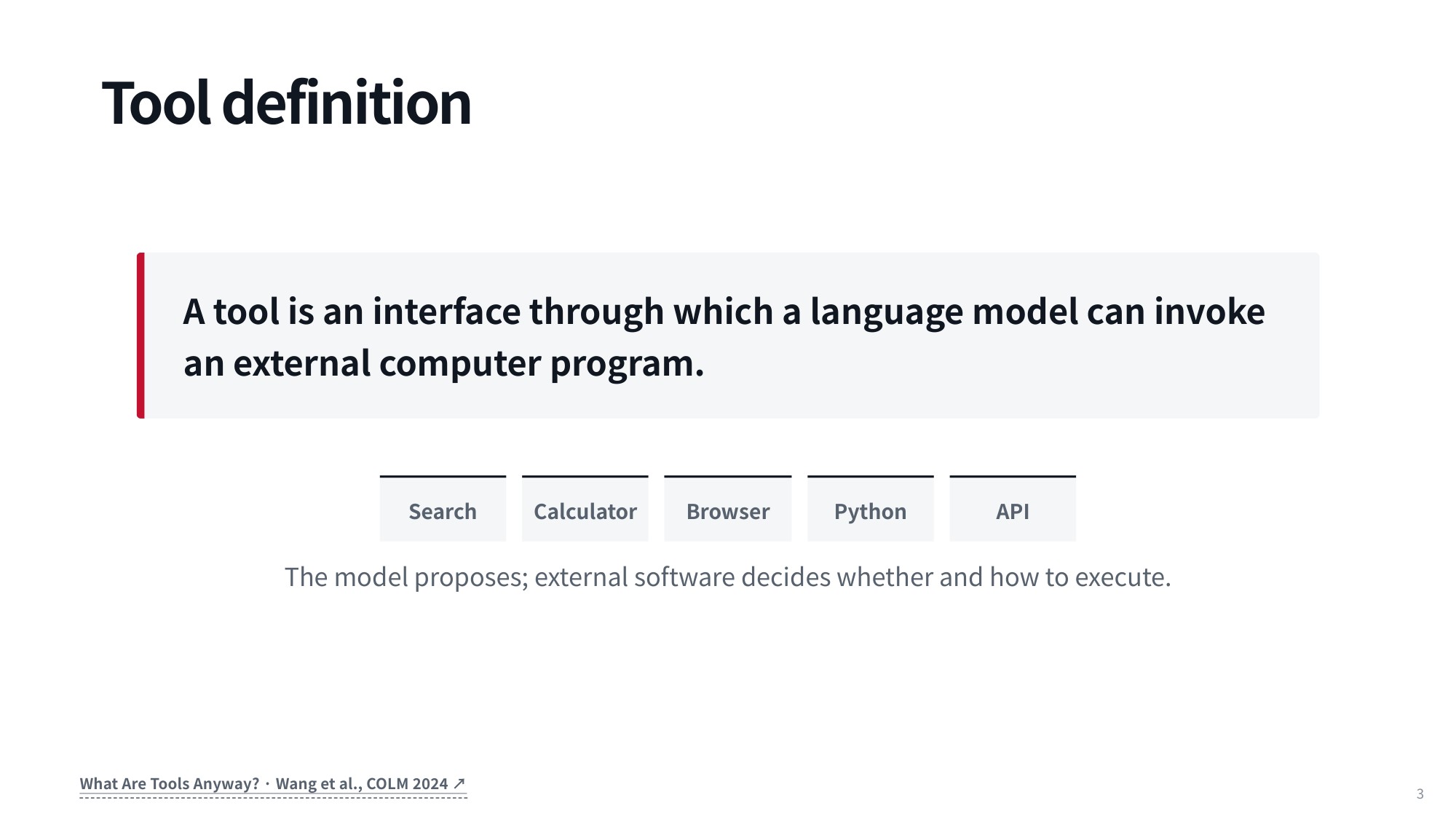
Fig 2. A tool is an interface through which a language model invokes an external computer program — web search, a calculator, a browser, Python or arbitrary APIs.
Once you wire a model up to external interfaces, the range of what it can do expands enormously: live web searches, a calculator, direct interaction with a web browser, custom Python scripts, or queries to arbitrary external APIs. The mechanism for issuing a tool call is now standardized across modern models, but the downstream outcomes vary widely. Those outcomes fall into two categories — extending what the model can do, or facilitating what it can already do.
1.2 Extending vs. Facilitating
This two-way framework comes from the survey paper “What Are Tools Anyway?” (Wang et al., COLM 2024), co-authored by Graham Neubig, Daniel Fried and their student Zhiruo (Zora) Wang.
Extending means giving a model the ability to do something it fundamentally cannot do alone: access external information, or take concrete actions that lie outside its native action space.
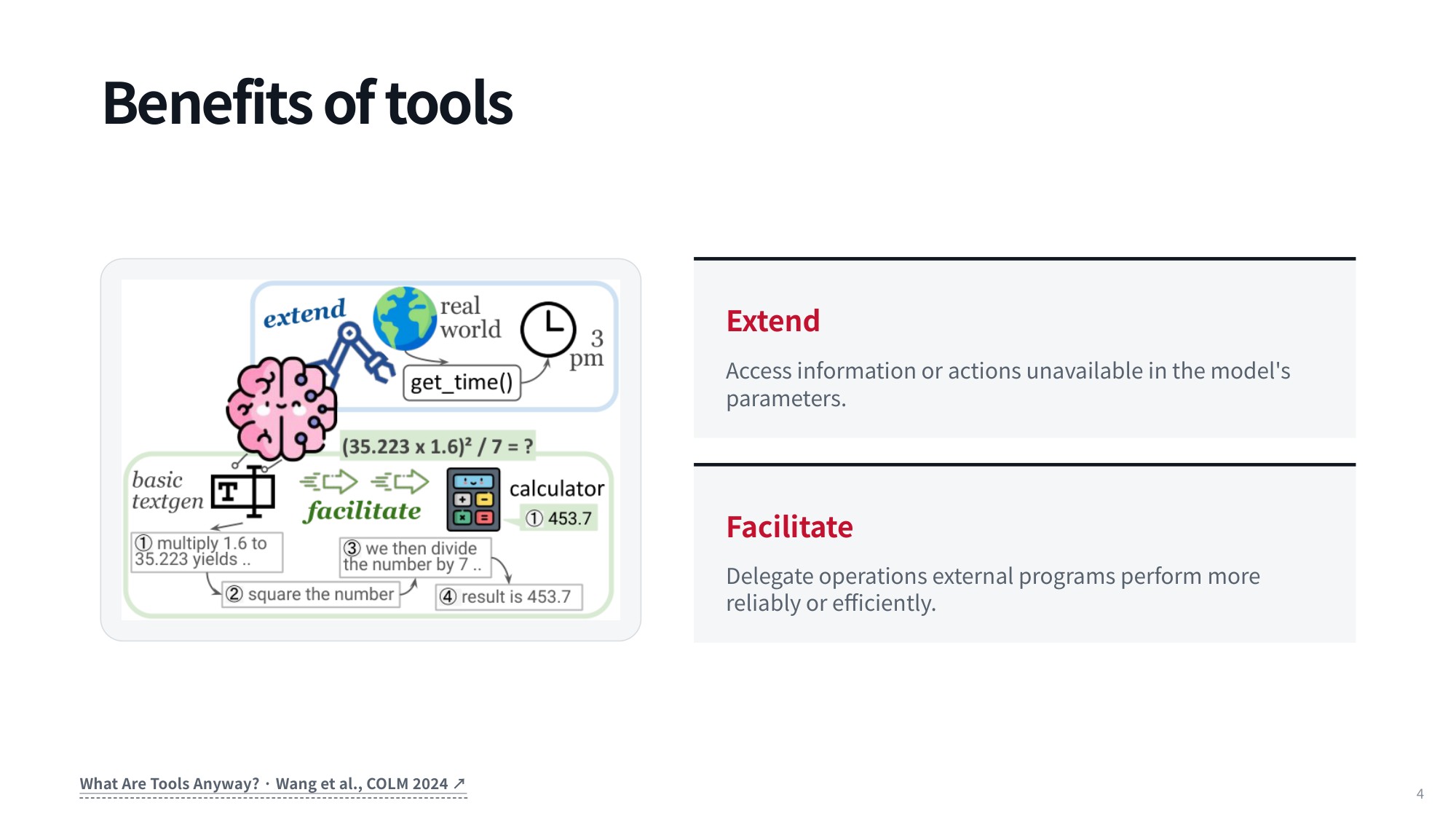
Fig 3. The two benefits of tools — extending the model to do what it fundamentally cannot do, and facilitating what it can already do but only slowly or unreliably.
A clean example is asking a model for the current time. If its most recent training data is four months old, its parameters are frozen and there is no way for it to know the time right now without calling an external function or API to fetch that real-world state.
Facilitating covers tasks the model can already perform, but where a tool makes the process easier, faster, or less demanding. Math is the obvious case: modern models do arithmetic fairly well, but they have to reason through it step by step. Ask one to multiply two seven-digit numbers and it spends a long time generating every token of the calculation, while a calculator returns the exact product almost instantly.
1.3 Weighing Utility Against Cost and Risk
So when is a tool call worth making? Looking up current information is the first scenario: fetching real-time data gives you fresh, verified evidence to ground the model’s answers.
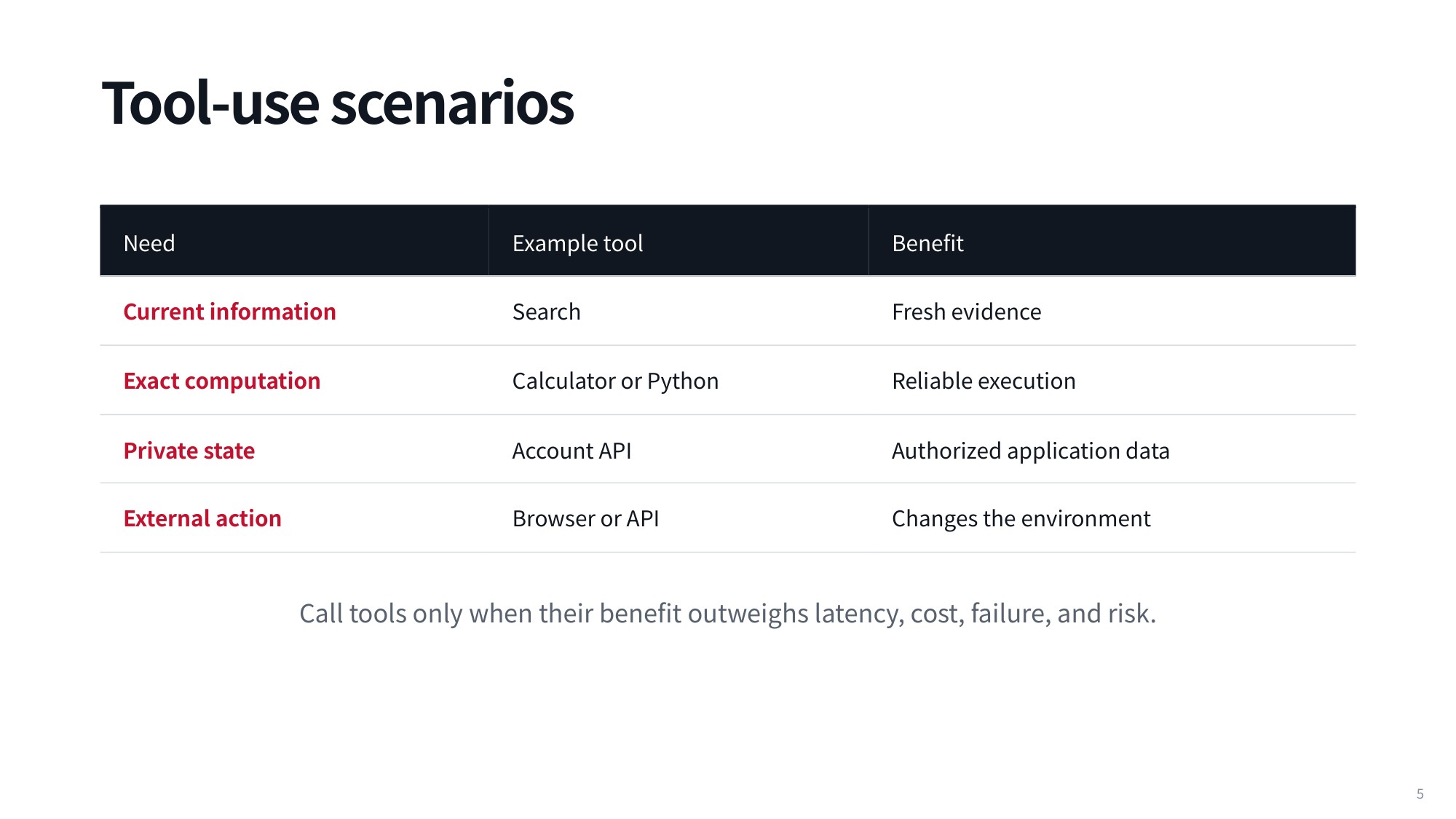
Fig 4. Four tool-use scenarios — current information, exact computation, private state and external action — with the rule that a tool is worth calling only when its benefit outweighs latency, cost and risk.
Exact computation is the second: a calculator or Python environment executes calculations far more reliably and quickly than the model’s internal generative process.
The remaining two scenarios are private state and external action. Accessing private state means giving the model personal or contextual information about the user so it can tailor responses to that user’s situation. External action means changing the environment — browsing a web page, or triggering something by calling an external API. The rule worth keeping in mind: call tools only when their benefit outweighs latency, cost, failure, and risk.
2. Core Tool Primitives in Production Agents
2.1 What ChatGPT Actually Calls Today
The easiest way to ground a discussion of agentic workflows is to look at how ChatGPT evolved. At launch it was strictly text-in, text-out: the only thing it could do was answer whatever you typed into the prompt box. Today it behaves like an “everything app” that handles a wide range of complex tasks.
For writing code it plays much the same role as dedicated development assistants such as Cursor or Codex. It can also drive external software like Blender, a good example of a task that requires both executing code behind the scenes and rendering the result in a visual format the user can actually see.
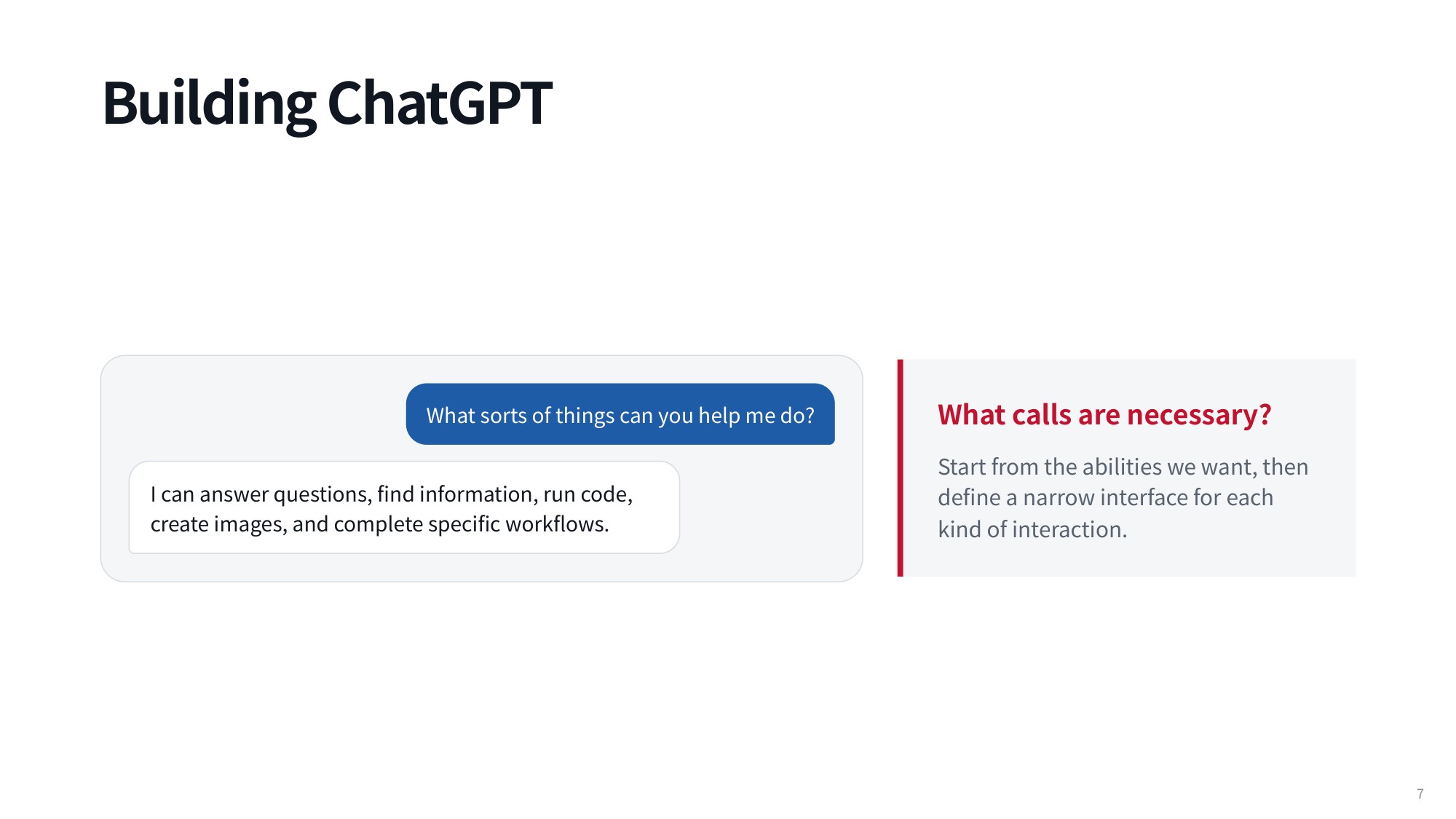
Fig 5. Building ChatGPT
Ask for a picture and the model calls an image generation tool. Ask for a product recommendation
dash;shopping for a blender or another home appliance
dash;and you need a different capability entirely: either arbitrary web search, or a dedicated API into a platform like Google Shopping or Amazon.
Some capabilities are stranger and were discovered by users over time. ChatGPT handles LaTeX well: hand it a broken file full of obscure syntax errors and it can find and fix them, with access to a real PDF compiler. You might wonder whether the rendering is a genuine tool or just a front-end feature in your browser, but the fact that it compiles the source and produces a full PDF settles the question. Agents can also talk to communication platforms like Slack, another specialized API integration.
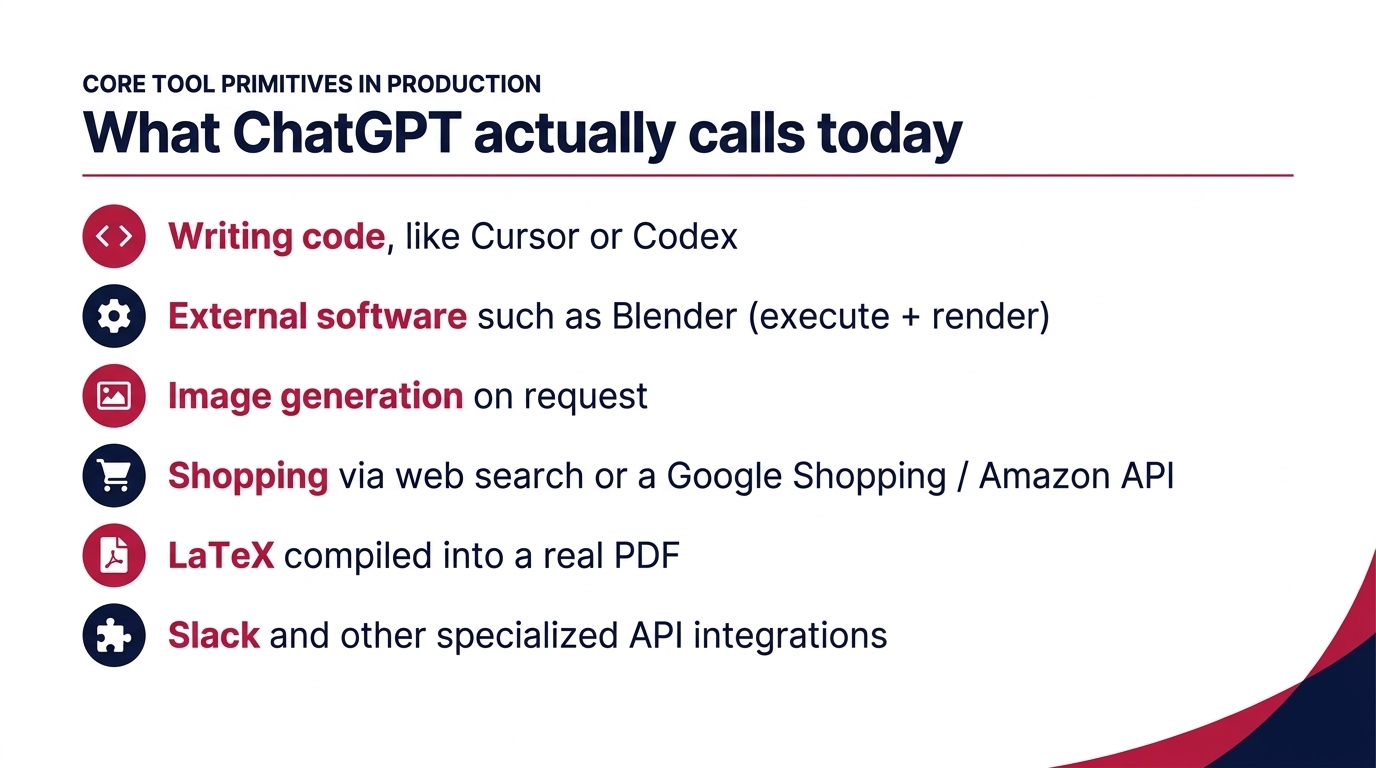
Fig 6. What ChatGPT actually calls today
These capabilities fall into a short list of foundational categories, and the overwhelming majority of production tools fit into one of them. Before we go through the list, note what this implies: ChatGPT is an agent. If there was ever doubt about whether it is just a chat app, the iterative tool calls settle it
dash;reasoning, acting through tools, and observing outcomes is the definition of an agent.
2.2 Termination Actions: Explicit and Implicit Finish
The first category is textual responses: the baseline case where the model returns an answer without calling any external system. Inside an agentic loop there are two ways to implement it.
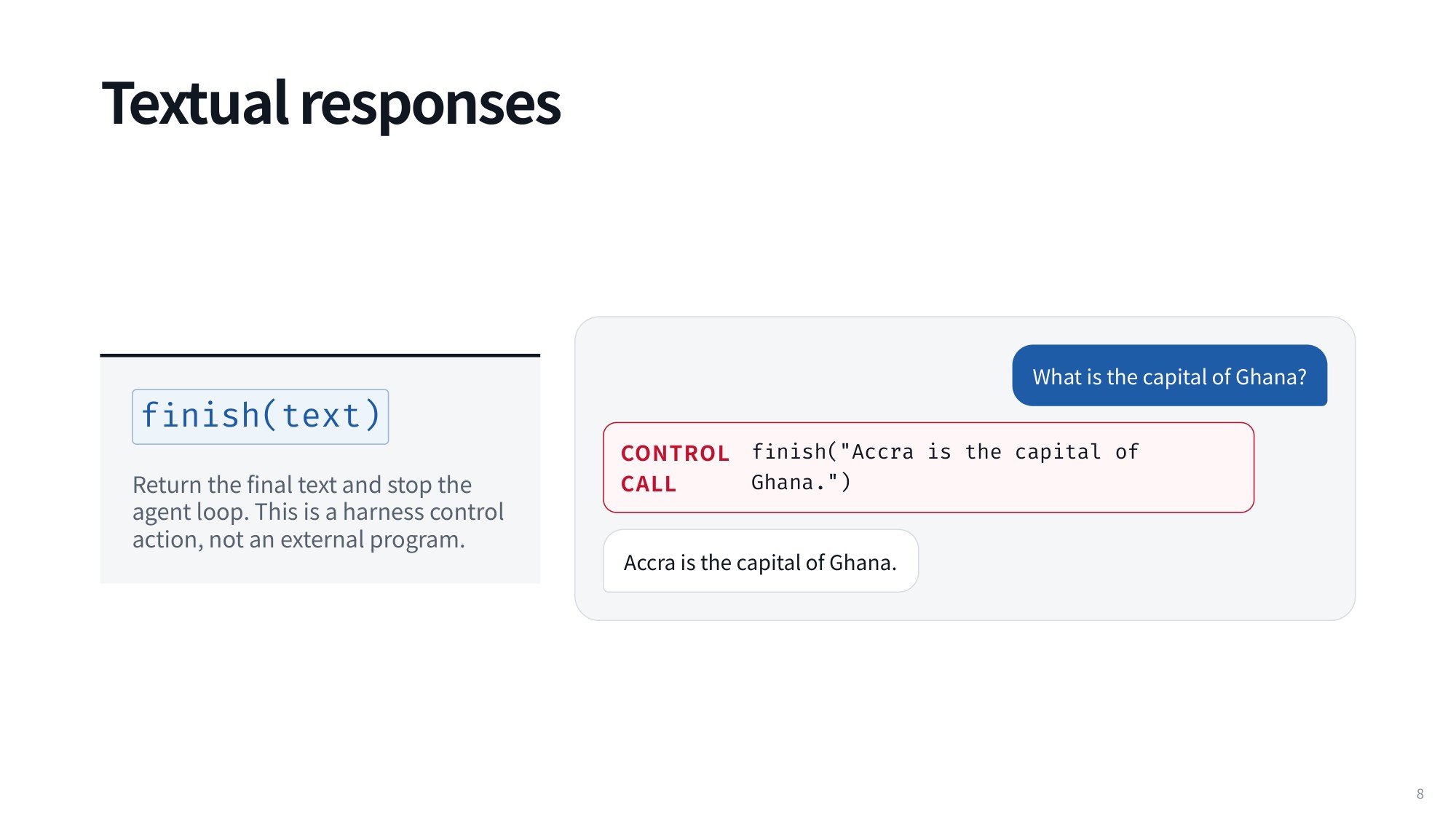
Fig 7. Textual responses
- Explicit finish tool: you give the model a tool that signals it is done interacting with the user, ending execution and emitting the final text. The agent issues a control call that terminates the process and carries the answer:
finish(text)                 # harness control action, not an external program
CONTROL CALL finish("Accra is the capital of Ghana.")
- Implicit finish: if the agent calls no tool at all during its turn, the system reads that as the signal to end the loop.
The implicit version is the simplest and most direct mechanism, and it is a good default before we move on to external actions.
2.3 Retrieval, Multimodal Tools, and Code Sandboxes
Everything past a plain text answer is a tool, and in principle every one of them is an API. Breaking them into primitives makes the underlying architecture much clearer.
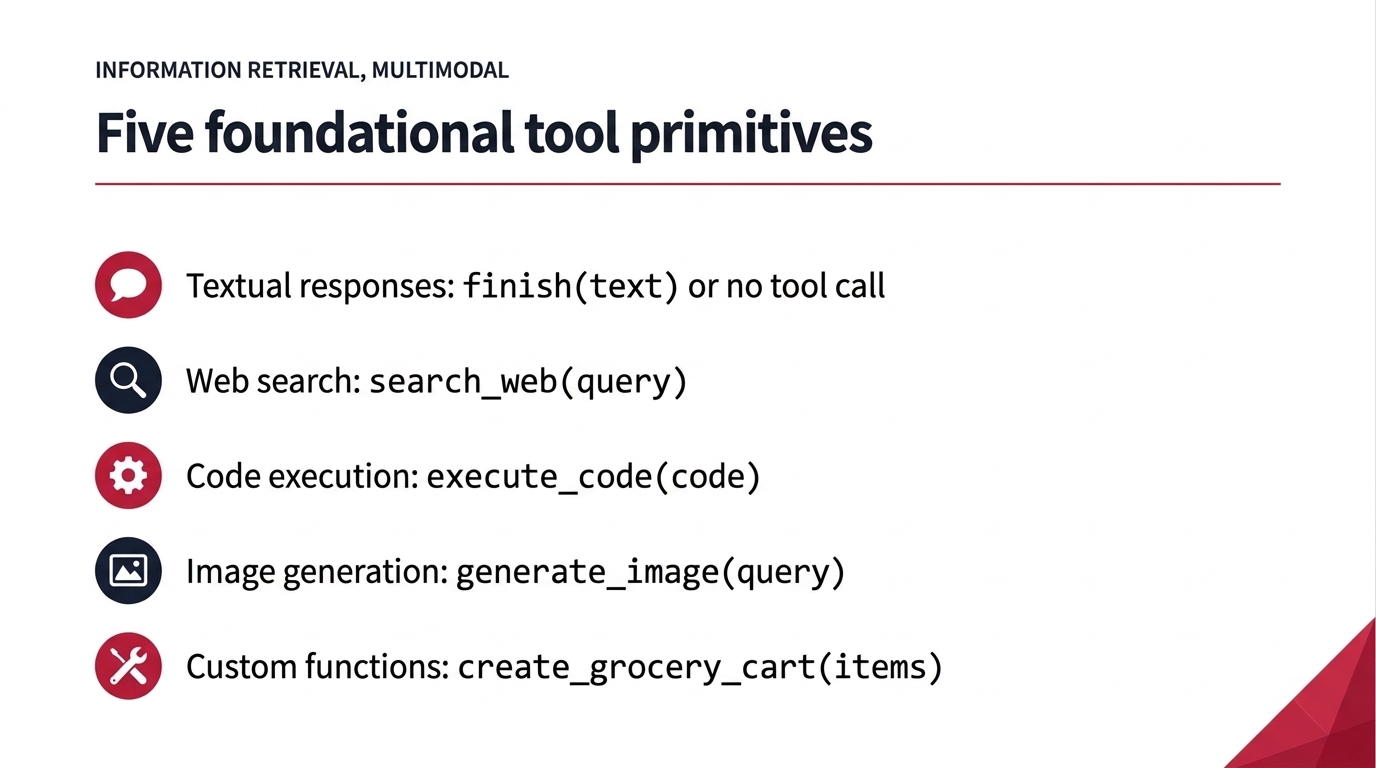
Fig 8. Five foundational tool primitives
Searching the web is among the most common primitives, pulling in information from all kinds of sources. An agent defines a standard function interface and issues a call:
search_web(query)
TOOL CALL search_web("site:cmu.edu announced today")   # result: Three matching news items...
There is a recurring argument in language model circles that retrieval-augmented generation was a fad two years ago and nobody cares anymore. The opposite is true. Retrieving external context and generating answers grounded in it has become so routine that people no longer notice they are doing it
dash;it is so alive that people think it is dead. Search, retrieve, then generate from what you retrieved is the norm in modern applications, and it ships with virtually every chat interface.
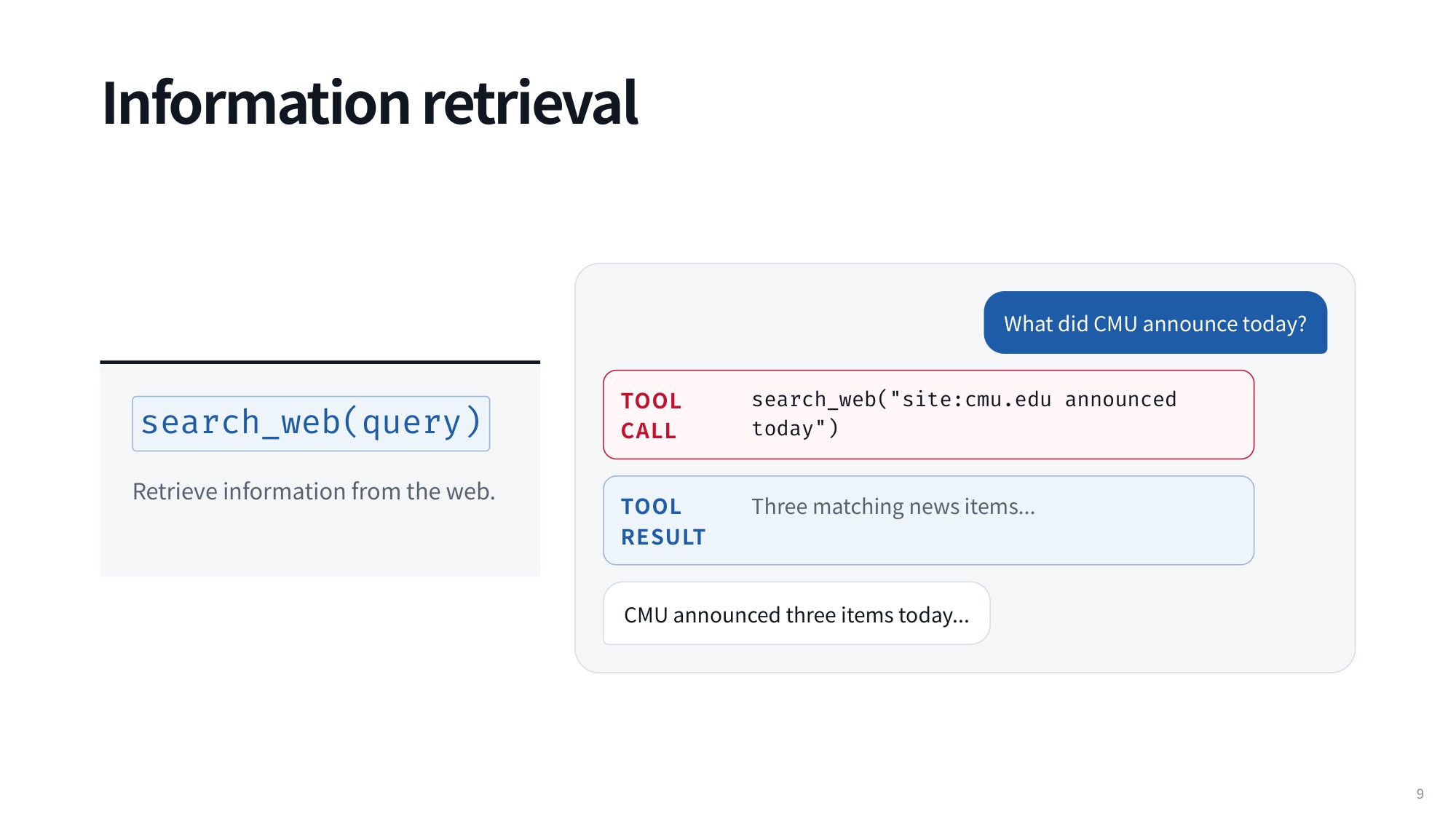
Fig 9. Information retrieval
Image generation is the other obvious ChatGPT use case. This primitive differs from the rest because those mostly move text in and text out, while this one produces rich visual output:
generate_image(query)
generate_image("watercolor robot studying in a library")   # result: generated_image.png
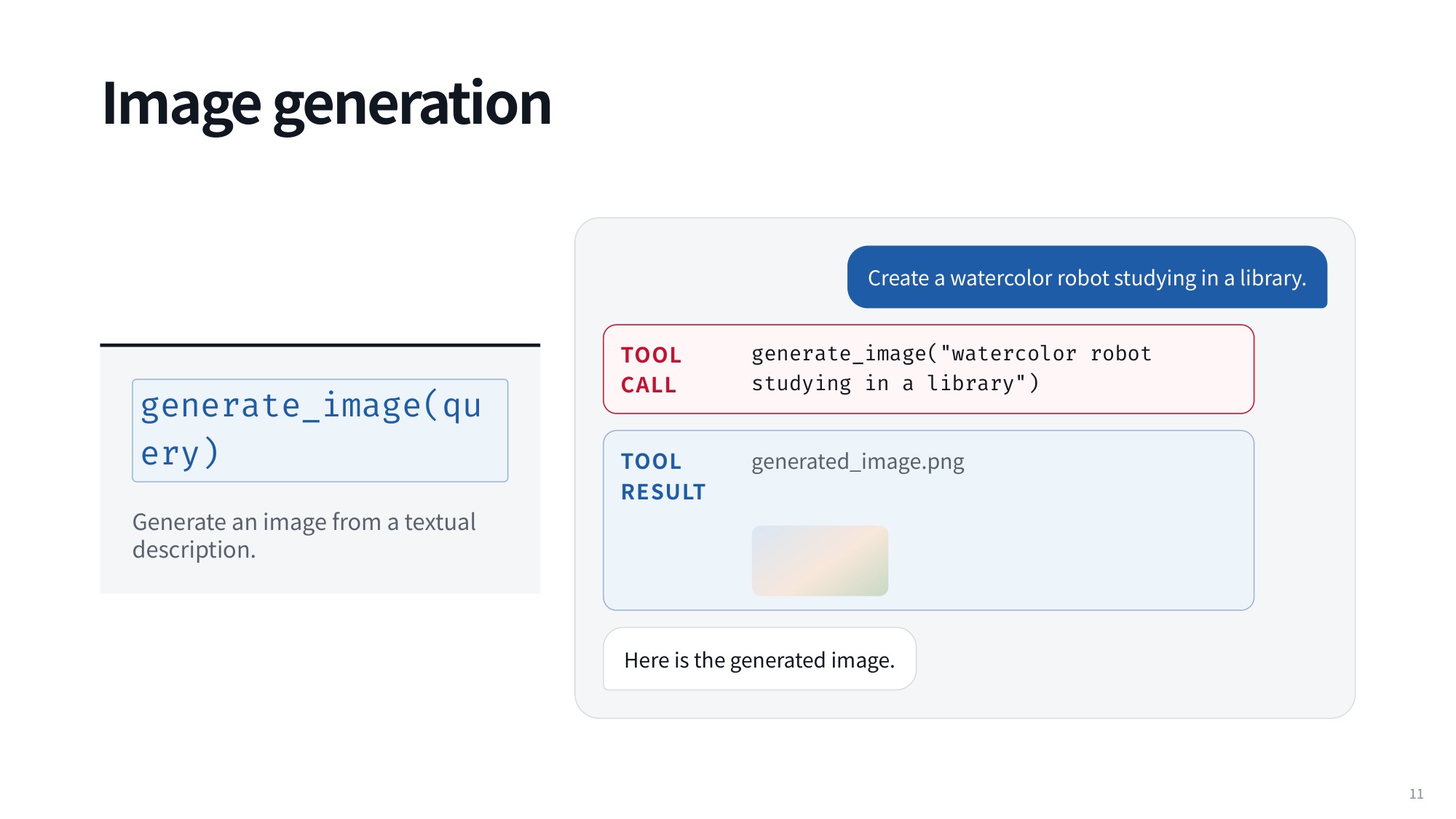
Fig 10. Image generation
Code execution rounds out the core set: throw executable code into a sandbox to perform precise calculations. It is invaluable for computation, data analysis, and the other tasks where plain neural autoregression struggles:
execute_code(code)
execute_code("sum([18,23,41,54])/4")   # result: 34.0
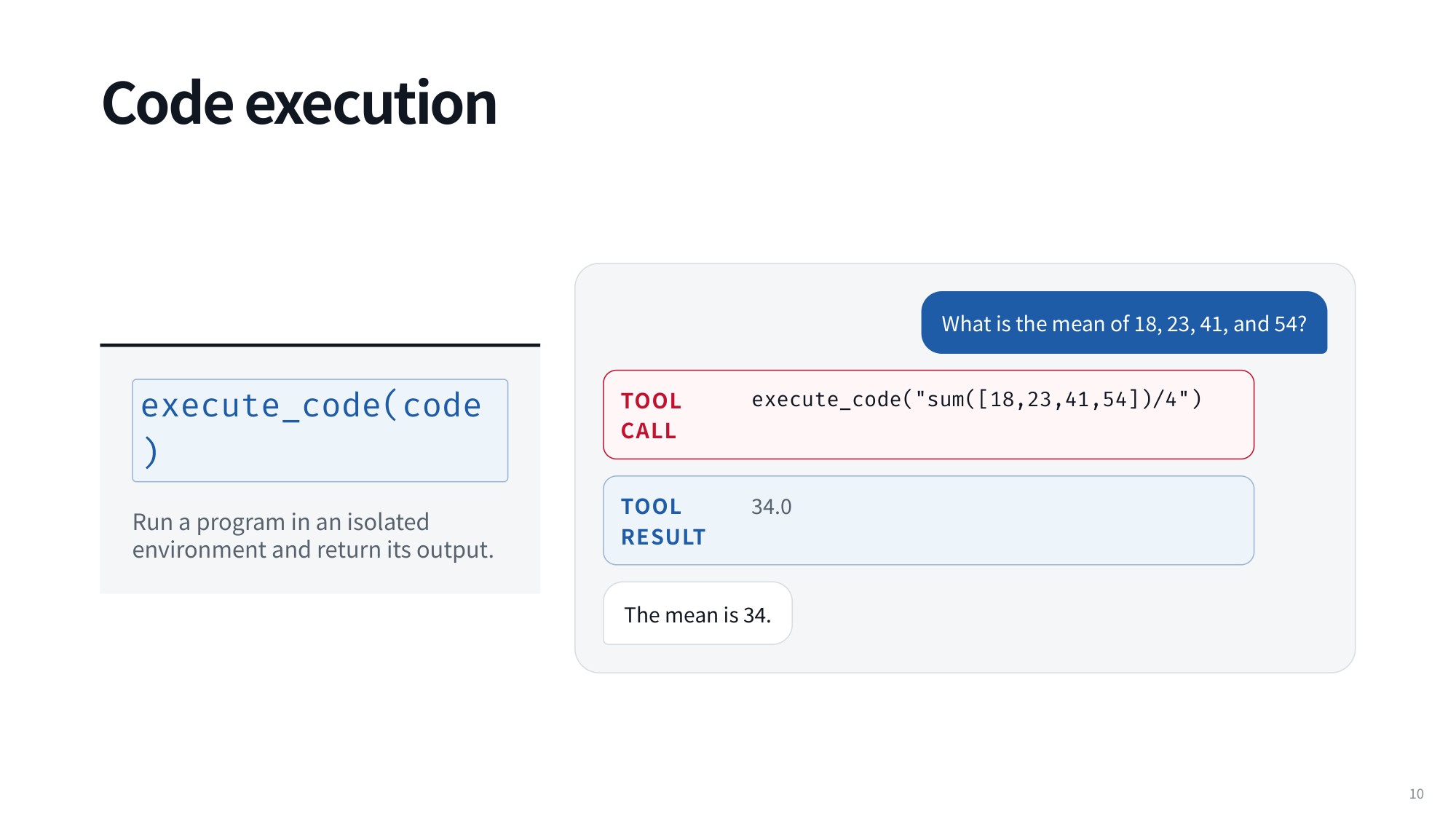
Fig 11. Code execution
2.4 Query Expansion and Custom API Functions
Multimodal tools reveal an interesting gap between what the user typed and what the tool receives. Look at the execution logs and you will see that the argument passed to the tool is frequently not the user’s query at all.
The call might carry a highly detailed prompt about watercolor robots studying in a library, while the user wrote something much shorter:
generate_image(query)
generate_image("watercolor robot studying in a library")   # result: generated_image.png
A large part of calling an image tool is deciding what query to put in the call. The model expands the prompt substantially before it ever hits the image generation API. This used to be visible in ChatGPT when you downloaded a generated image: the saved file carried a caption quite different from your brief prompt, exposing the expanded query that was actually sent.
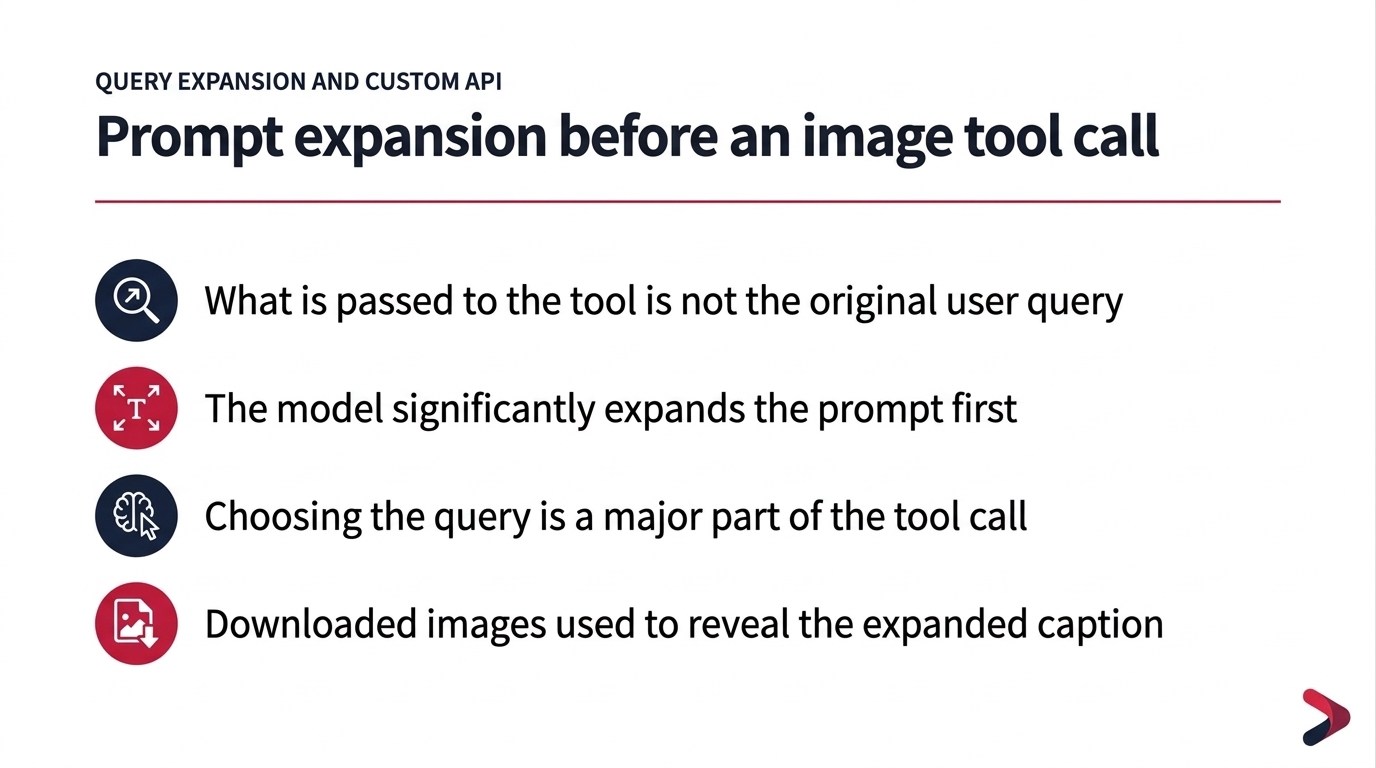
Fig 12. Prompt expansion before an image tool call
The same paradigm extends to custom functions of any kind. A model can be wired up to build a grocery cart and call the Instacart API to do it:
create_grocery_cart(items)
TOOL CALL create_grocery_cart(["bananas", "milk", "coffee"])   # result: Cart C17 · 3 items · $31.42
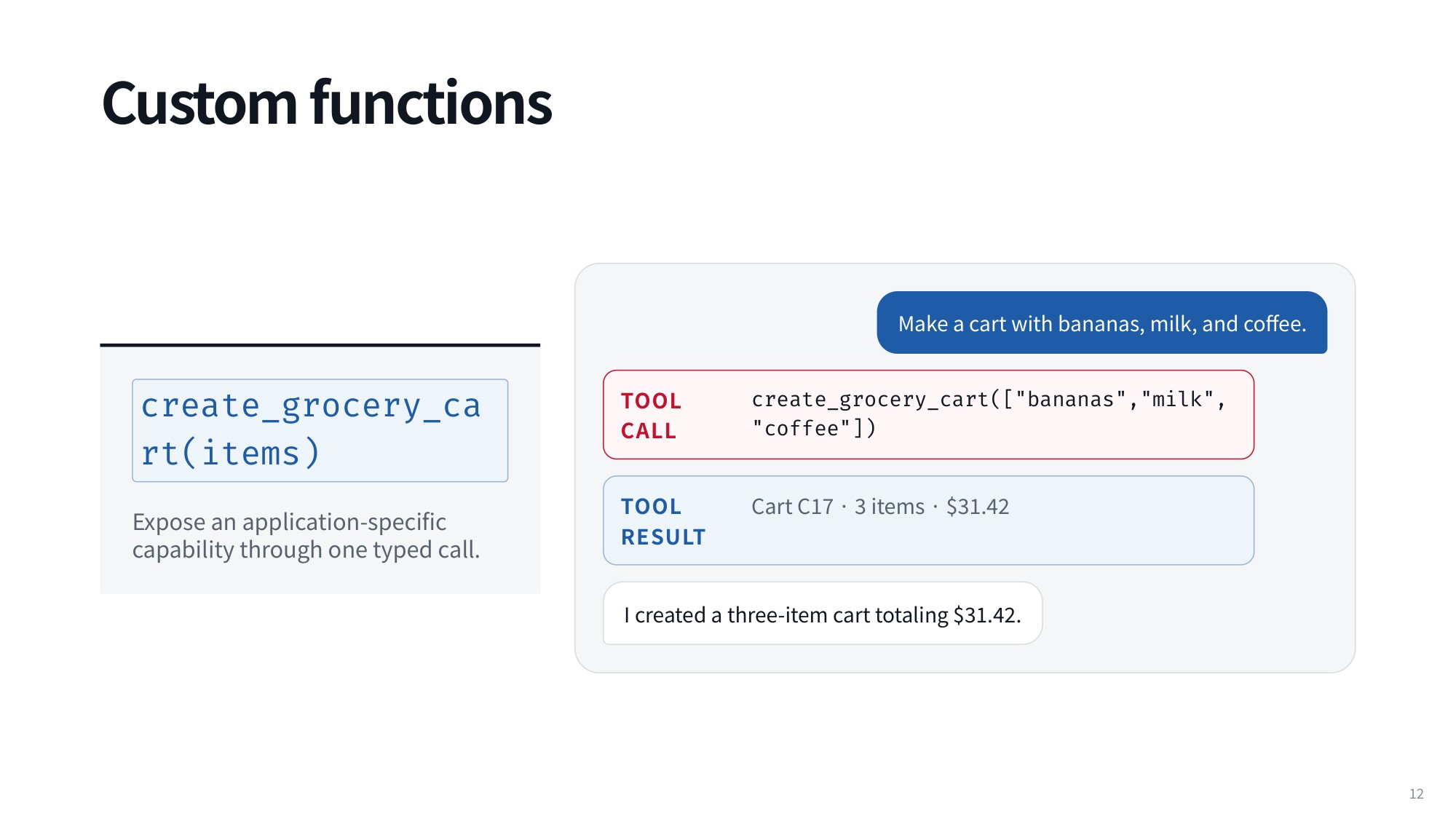
Fig 13. Custom functions
From here you can go as wild as you like, connecting whichever custom functions expand what your agent can do in the real world.
3. Programmatic Tool Calling and Composition
3.1 Calling Tools by Executing Python Code
The simplest way to give an agent tools is to hand it a list of 50 or 70 API functions it is allowed to call. At each step the agent calls one of those APIs, or several at once if you support parallel tool calling.
Code is a different kind of API, because it is far more expressive. That expressiveness lets you treat code as a meta-tool. Take a classic word problem: bakers bake 200 loaves of bread and we want to know how many are left. Writing the code to solve it is really calling an assignment tool, then a subtraction tool, then another assignment tool, and so on.
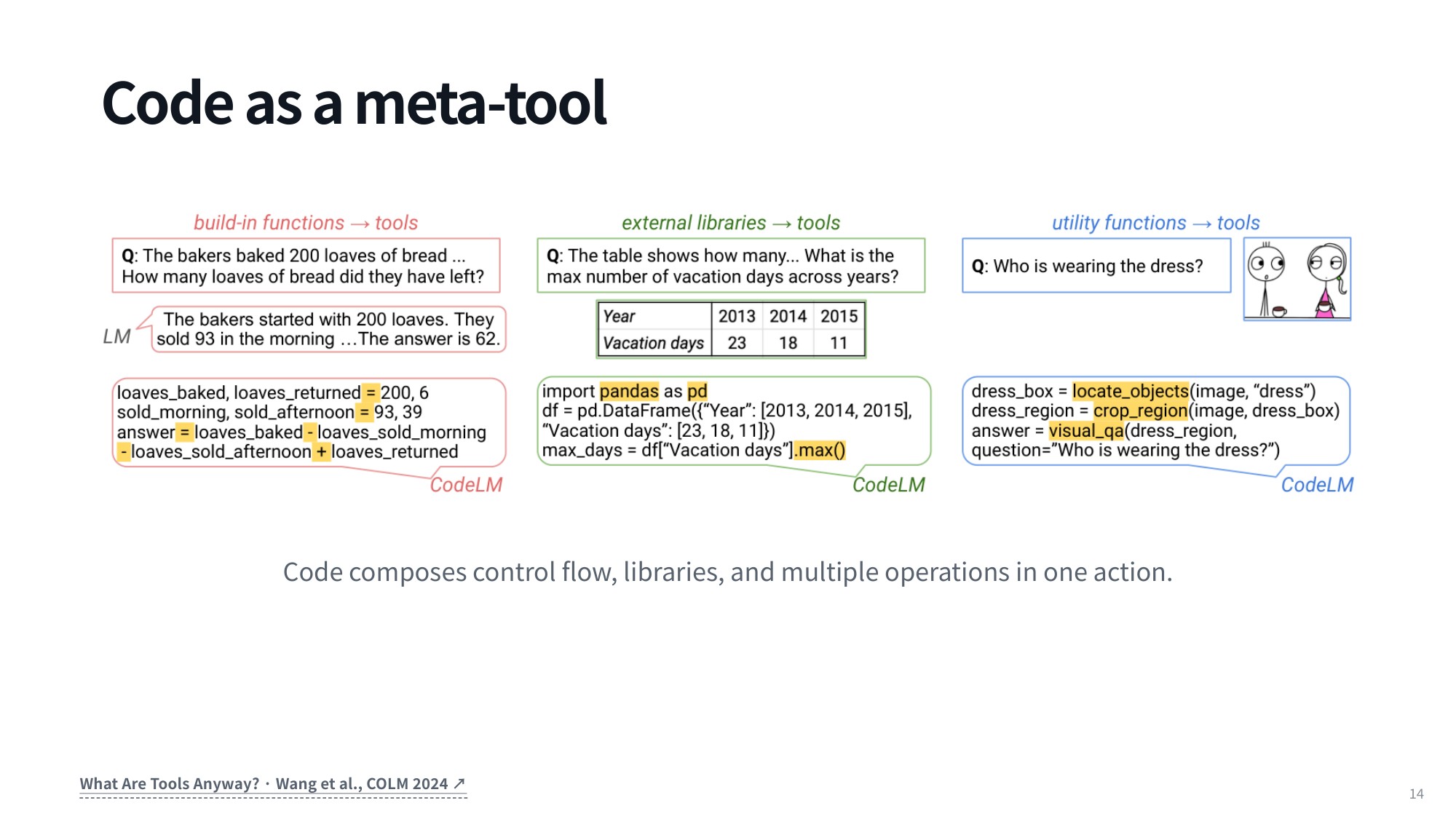
Fig 14. Code as a meta-tool
You can see that breakdown in a few lines:
loaves_baked, loaves_returned = 200, 6
sold_morning, sold_afternoon = 93, 39
answer = loaves_baked - loaves_sold_morning - loaves_sold_afternoon + loaves_returned
Every piece of code can be expressed as an execution tree of nested function calls, and that tree can contain loops, conditionals, and any other control flow. You can also pull in external libraries, which instantly become custom APIs inside your system:
dress_box = locate_objects(image, "dress")
dress_region = crop_region(image, dress_box)
answer = visual_qa(dress_region, question="Who is wearing the dress?")
3.2 Composing Workflows with Custom Utility Functions
Once libraries are in play, the possibilities expand quickly. Importing pandas, for example, opens up the entire array of data processing and analysis tools in that library and lets you build your own utility functions on top.
Instead of forcing the agent to issue a separate action for every step, you can define a helper such as create_grocery_cart(items). The agent then runs the whole composite workflow with one call: create_grocery_cart(["bananas", "milk", "coffee"]).
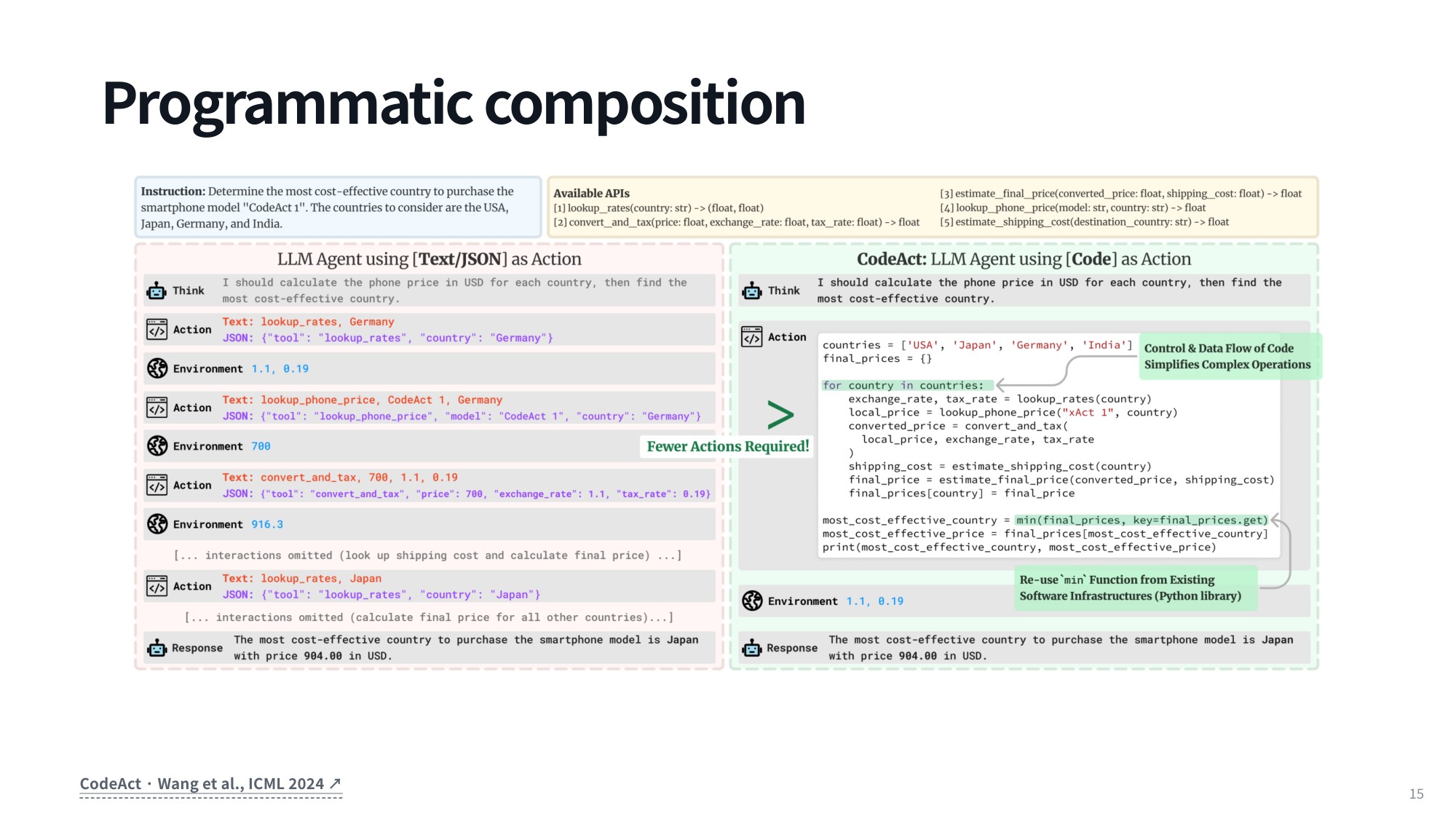
Fig 15. Programmatic composition
4. The CodeAct Paradigm: Expressiveness, Performance, and Execution Risks
4.1 From Stepwise Calls to a Single Program
It is easy to take the programmatic paradigm for granted, but this is not how tools were called three or four years ago, when people first started building agents with LLMs. Early setups were strictly stepwise and interaction-heavy.
Take a task that asks the model to find the most cost-effective country to buy the smartphone model “CodeAct 1”, with the USA, Japan, Germany and India as candidates. The old approach required an exhaustive manual sequence: call the lookup rates tool on Germany, call the lookup phone price tool, then convert and tax, then lookup rates again for the next country, then lookup phone price again, and so on. Every one of those steps meant waiting on another round-trip LLM generation cycle.
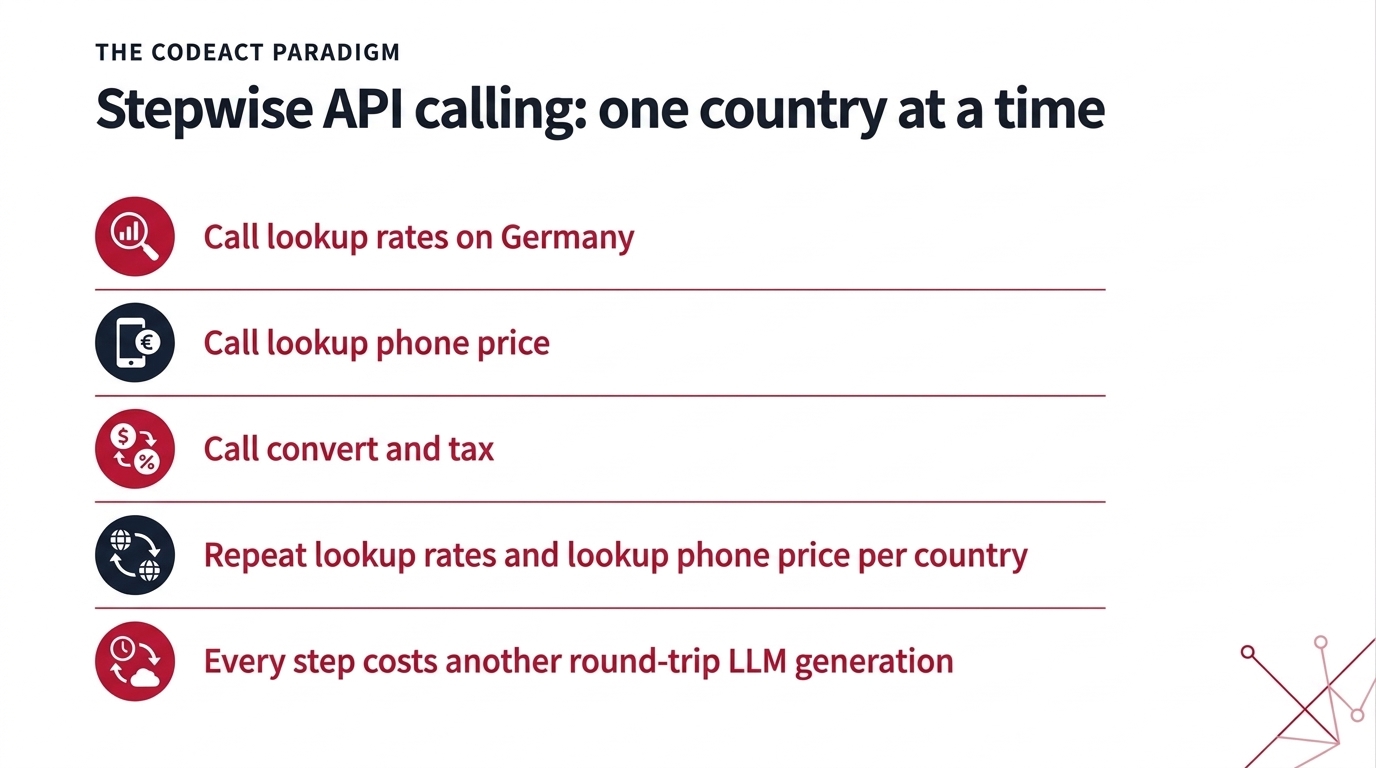
Fig 16. Stepwise API calling: one country at a time
Write code instead, and the whole composition fits into a single program. Loops, variables and function calls live directly in that program, so dozens of back-and-forth generation cycles collapse into one. That efficiency and expressiveness is the core thesis behind the paper that introduced CodeAct.
4.2 Benchmarks and the Risks of Arbitrary Code
The empirical results back this up: using code as an action raises the success rate and lowers the average number of interaction turns. In the subset shown, code had the best success rate for 8/8 models and the fewest turns for 7/8; across all 17 models both counts are 12/17. The gains also appear on benchmarks originally conceived as standard tool-use tasks that never required code at all — code is simply an effective medium for structuring and executing interactions.
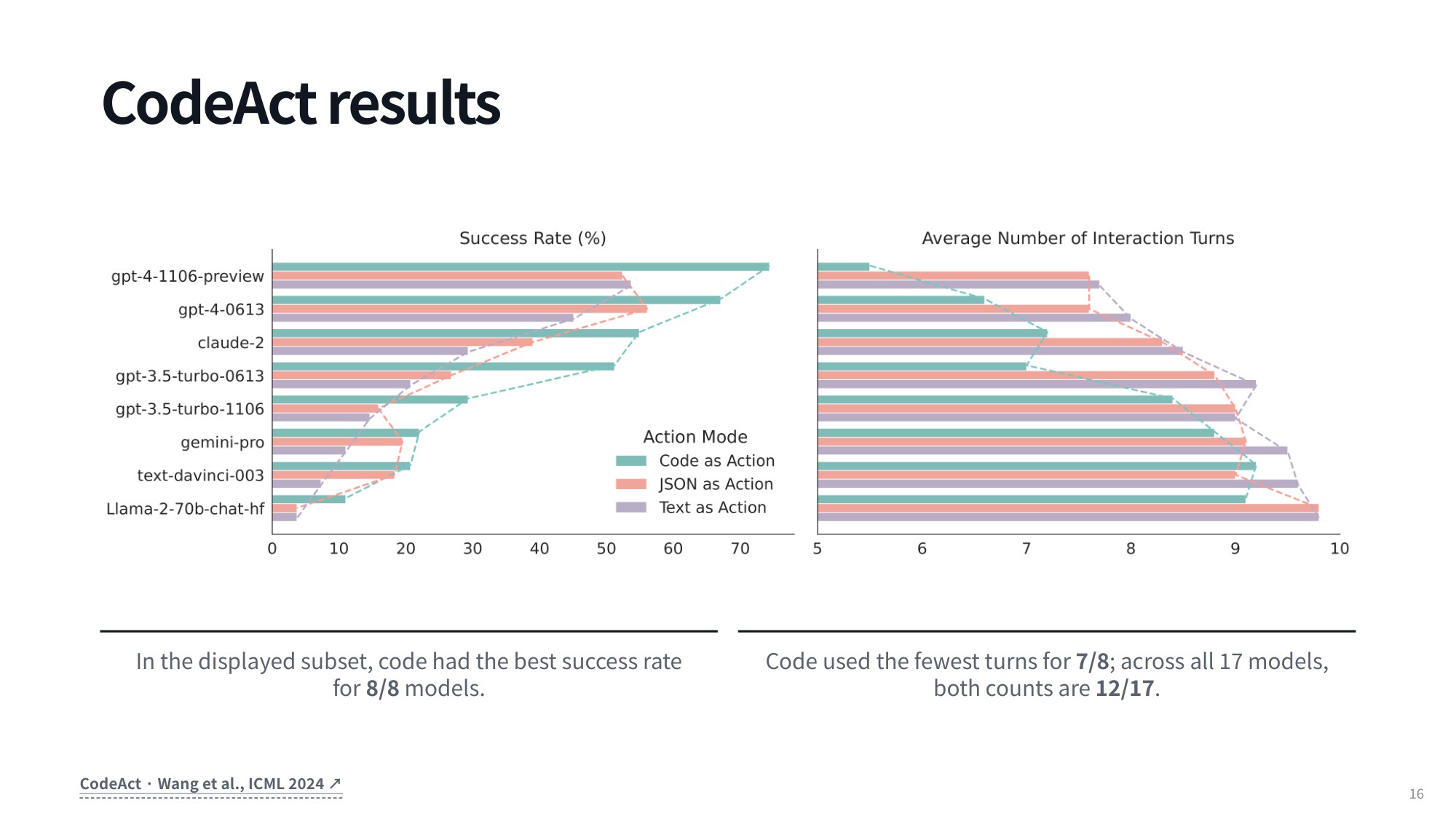
Fig 17. CodeAct results
So why not use programmatic tool calling for everything? The reservation comes down to how much power you grant the agent. Code is high-powered and expressive precisely because it hands the model loops, variables and imported libraries — and those same capabilities carry real downsides.
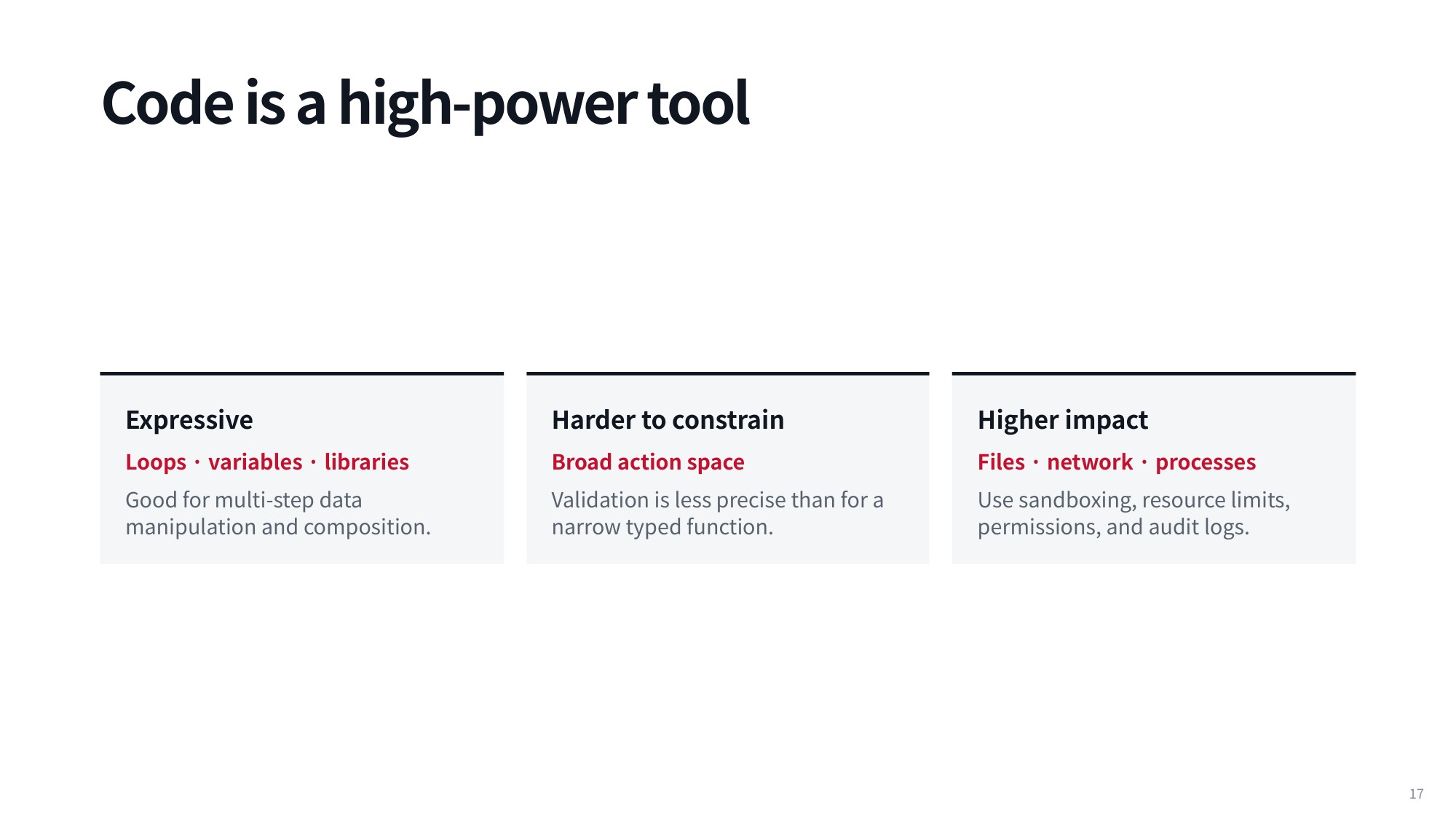
Fig 18. Code is a high-power tool
With loops and variables, an agent can generate logic that never meets its termination condition and spins forever, so your orchestration system needs safeguards that detect and stop runaway execution. With libraries, you inherit security vulnerabilities plus routine dependency and versioning friction. A primary issue in agent cybersecurity today is an agent pulling in a compromised third-party library: once the agent is compromised, your entire host system is at risk.
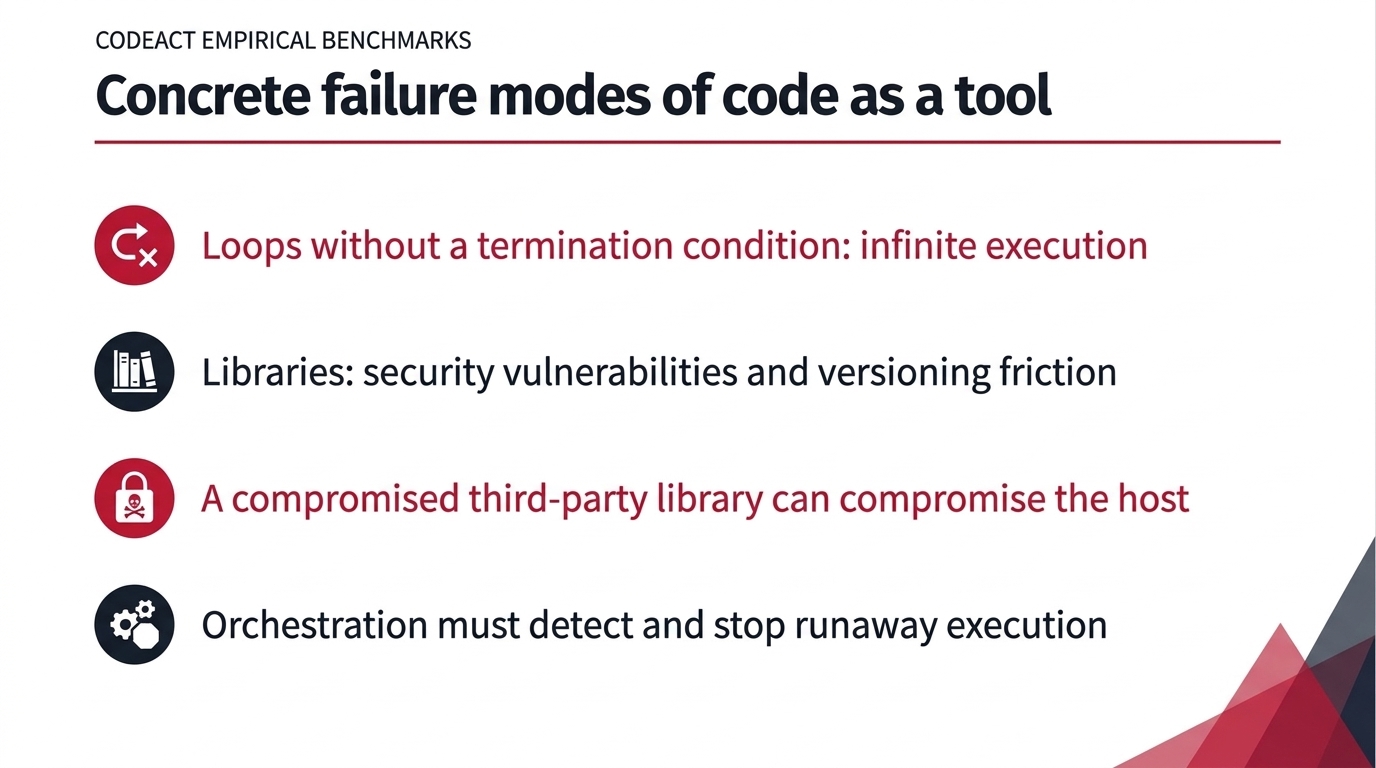
Fig 19. Concrete failure modes of code as a tool
Agents that execute arbitrary code are also harder to constrain, because the action space is so large that validating outputs and guaranteeing predictable behavior becomes difficult. They hit physical infrastructure harder too, consuming substantial memory, disk space and CPU. The moment you move to programmatic tool calling, you need carefully designed sandboxes and isolation boundaries around the agent.
That brings us to the mechanics of actually giving an agent tools. Virtually every major language model is now proficient at invoking them, which was far from guaranteed in the earlier days of LLM development. Mechanically, a tool call is just a token sequence inside the model’s generation stream: a natural language continuation might emit text saying the weather is sunny, while a tool continuation emits an explicit call structure such as get_weather.
Models frequently produce both in the same output. In the ReAct framework covered earlier, the model writes its reasoning text at the top and emits the concrete tool call directly beneath it, pairing unstructured thinking with a structured action in a single generation step.
5. Token-Level Tool Call Representations in Prompts
5.1 Tool Calls Inside the Model Protocol
In a ReAct-style output, the reasoning text comes first and the tool call is emitted directly below it, closed by an end-of-call marker. The model can address the human and request an action inside a single completion.
The invocation itself lives in the formatted output, structured with syntax such as <tool_call> get_weather( ... ). Because the interaction is structured this way, the ReAct loop is no longer separate code sitting outside the model’s protocol representation.
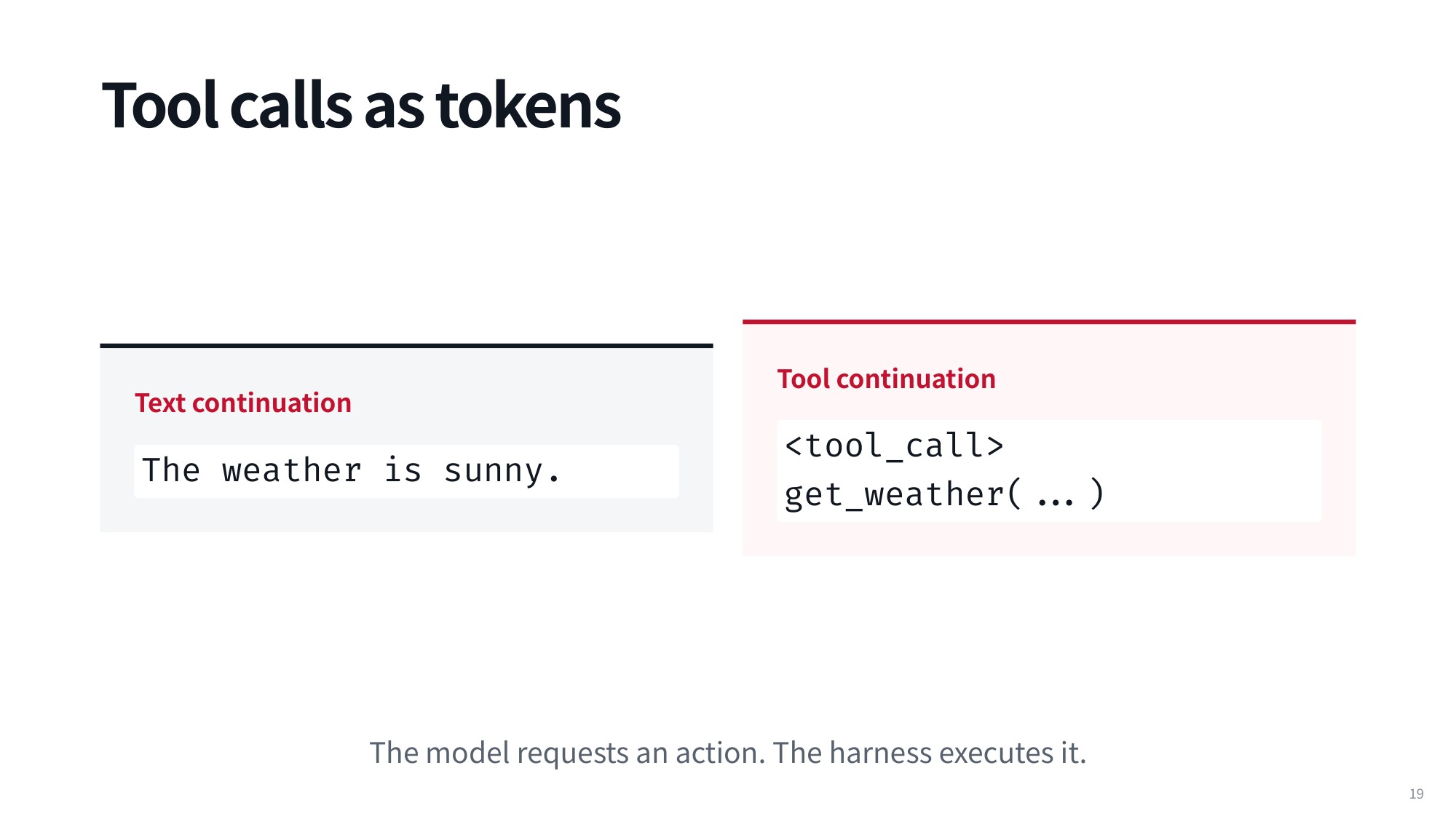
Fig 20. Tool calls as tokens
5.2 Special Token Sequences for Tool Invocations
Rather than running as separate external steps, the whole process is often expressed as one completion instead of separate interactions — especially for reasoning models capable of long reasoning traces.
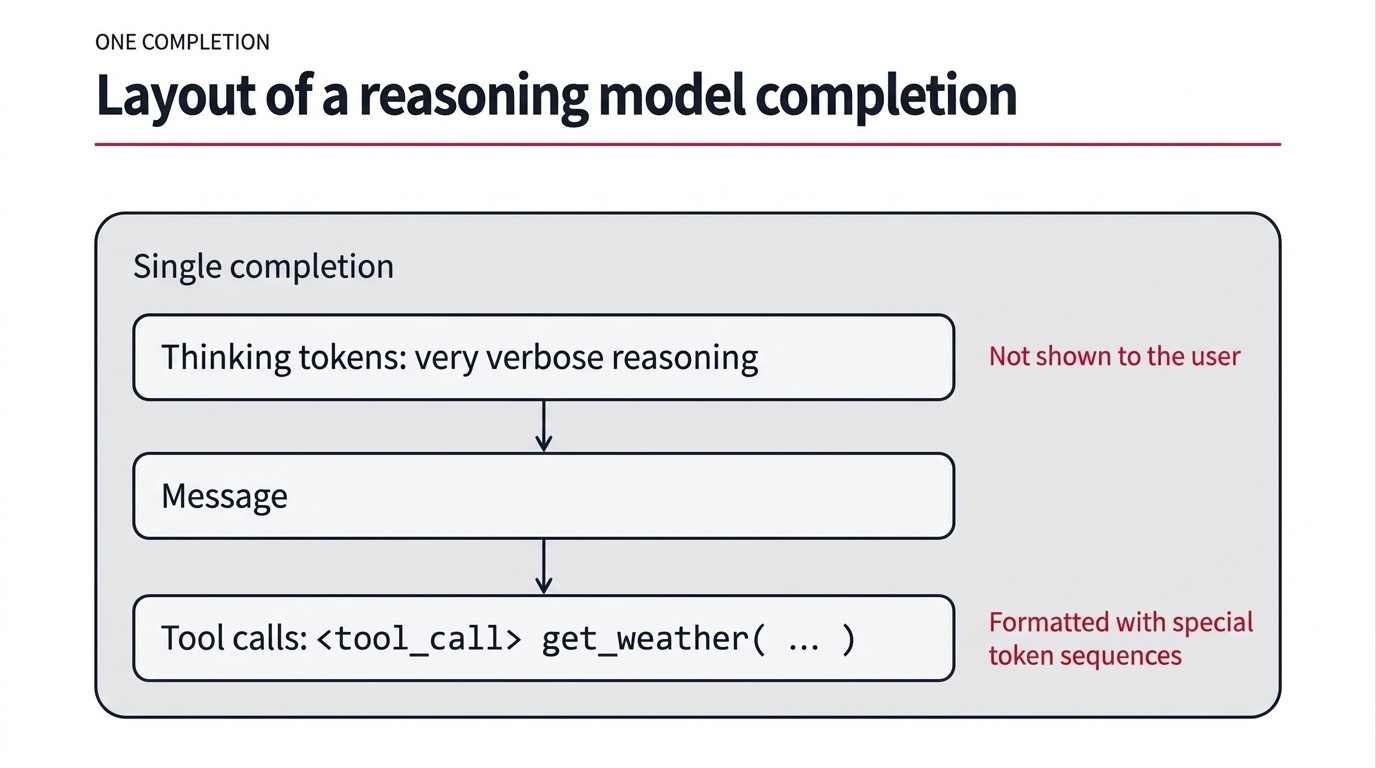
Fig 21. Inside one completion, a reasoning model emits hidden thinking tokens, then a message, then special-token tool calls.
5.3 Do Tool Tokens Belong in the Vocabulary?
In a structured output, the generated text is the less verbose message shown directly to the user. The tool call is the functional output, formatted with tokens such as <tool_call> followed by an invocation like get_weather( ... ).
That distinction raises a question: do these service tokens and tool call tokens need to be in the model’s vocabulary during pre-training? The intuitive answer is yes, but the accurate answer is no. When you pre-train a base model across the entire internet, these specific tokens do not have to be in the vocabulary at that stage.
You can add them upfront, but it is far more typical to introduce them during mid-training — training on moderately large amounts of data structured in the exact format you want the model to adopt, such as producing tool calls like <tool_call> get_weather( ... ). Reinforcement learning can follow to refine the behavior further. Either way, the specialized tokens do not need to be baked into the vocabulary during internet-scale pre-training.
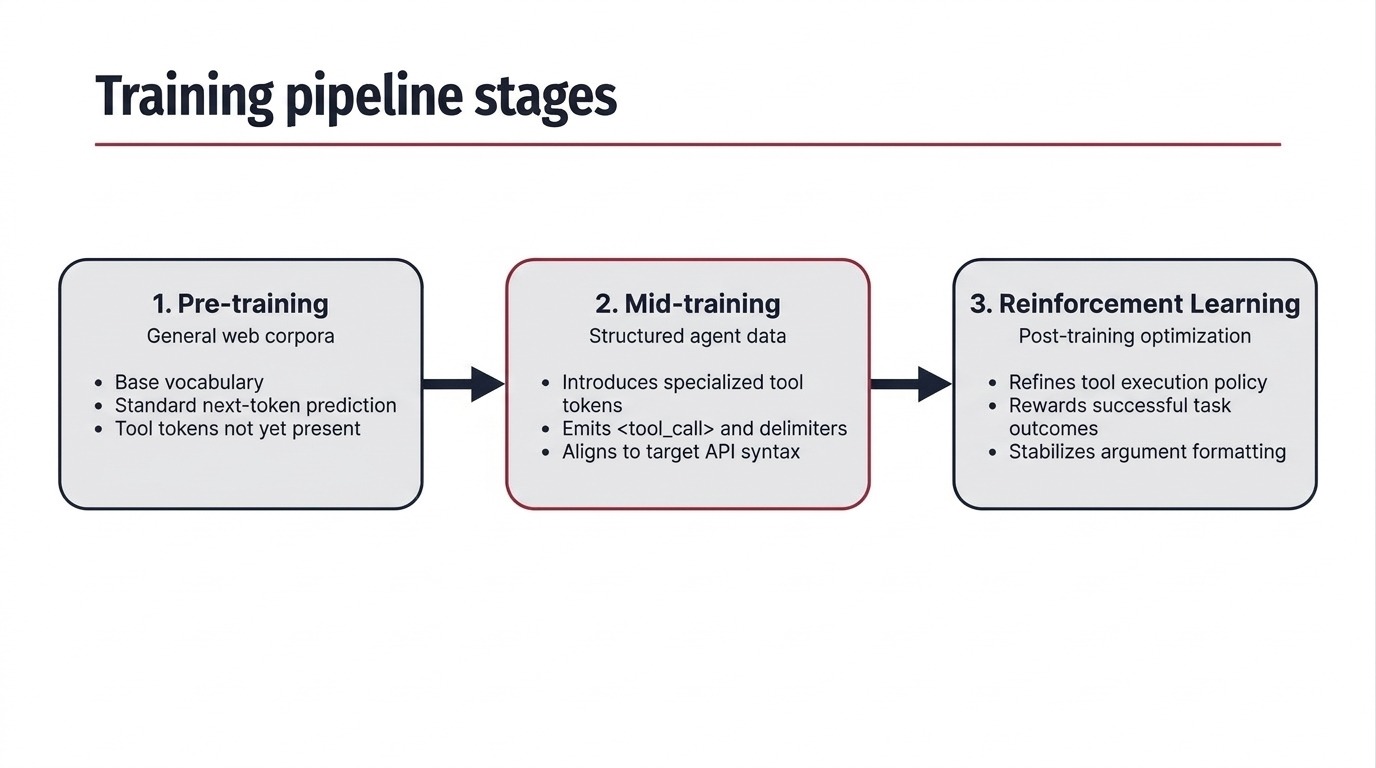
Fig 22. Training pipeline stages where specialized tool-calling tokens are introduced into LLMs.
5.4 Structured Message Serialization for Tool Use
Message serialization will be familiar to anyone who has built systems in a natural language processing course. In standard conversational interfaces, such as the OpenAI chat format, interactions are organized into discrete message roles: system, user, and assistant. In Python, these are structured JSON objects when you prepare an API call.
Before reaching the underlying language model, those structured elements are flattened into a single text sequence using special boundary tokens. Each turn receives its own delimiters marking role and content — for example, a system prompt instructing the model to be concise.
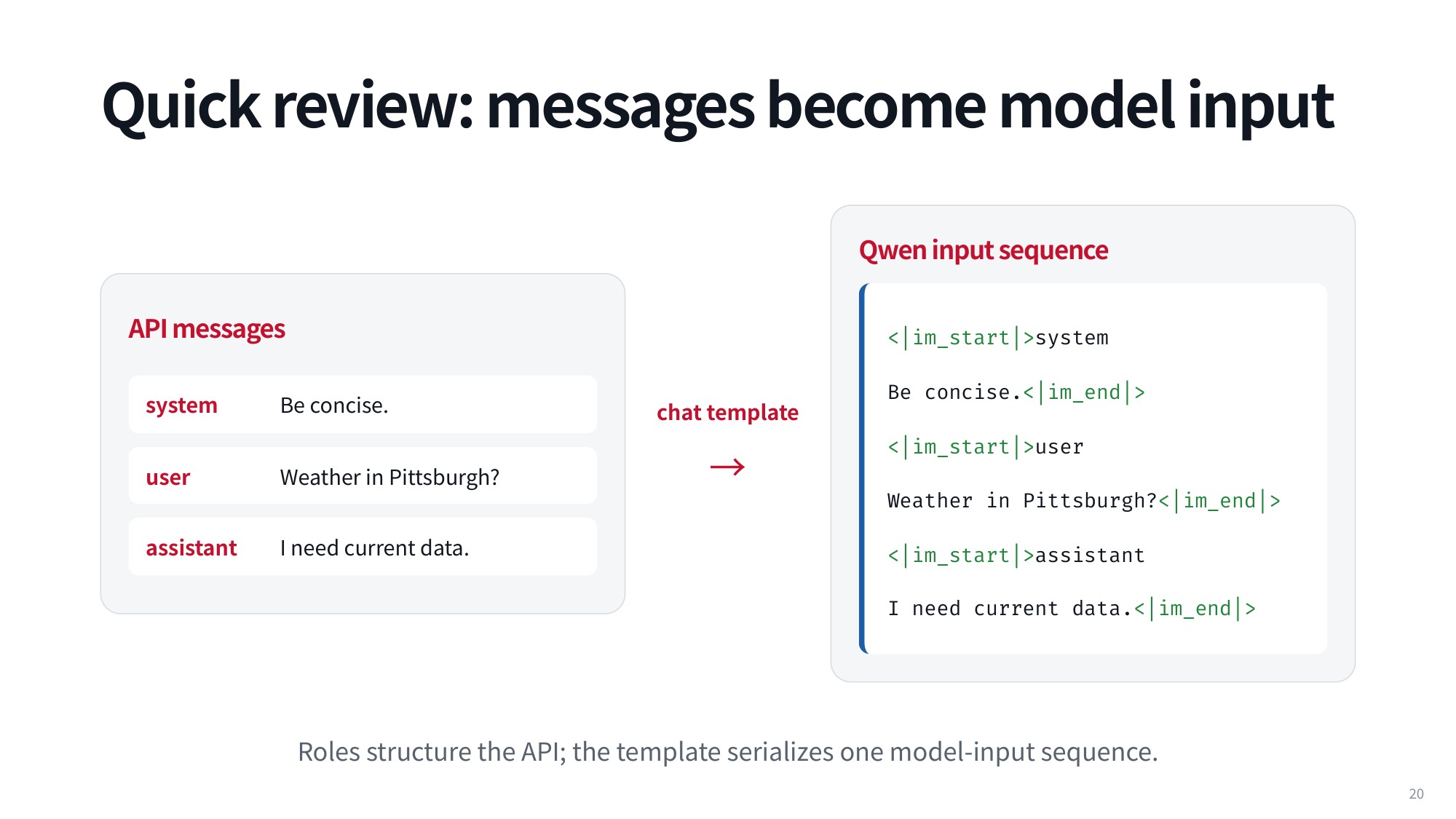
Fig 23. Quick review: messages become model input
The Qwen chat format shows this clearly, with special tokens like <|im_start|> and <|im_end|> framing each turn. The three API messages serialize to:
<|im_start|>system
Be concise.<|im_end|>
<|im_start|>user
Weather in Pittsburgh?<|im_end|>
<|im_start|>assistant
I need current data.<|im_end|>
That is Qwen’s convention; other models use entirely different formatting rules.
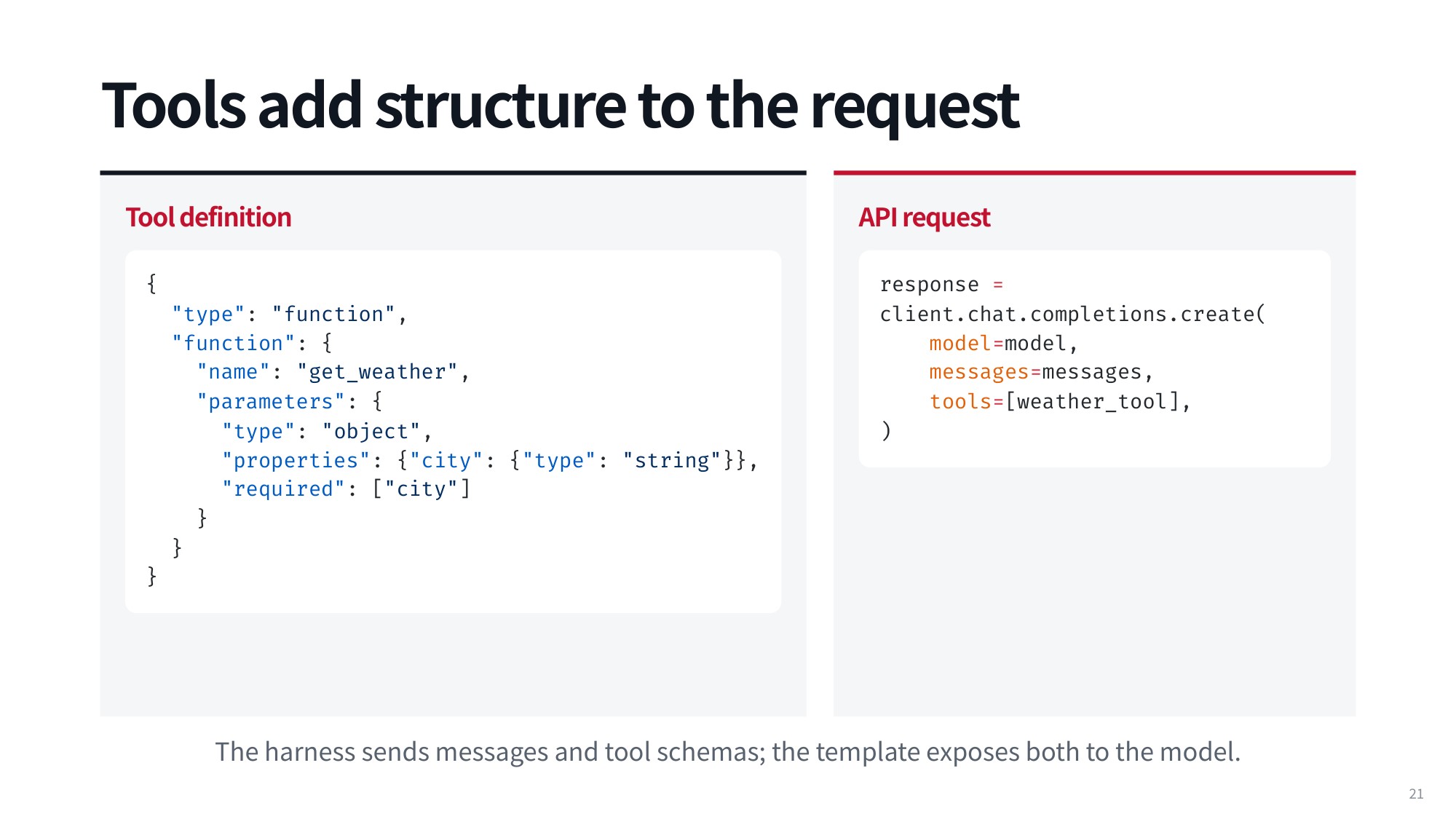
Fig 24. Tools add structure to the request
Tools add further formal structure to the request payload. A tool definition provides an explicit JSON schema telling the model exactly which functions it can execute. A function tool might use the type "function", the name "get_weather", and an object parameter with a required "city" property of type "string":
{
  "type": "function",
  "function": {
    "name": "get_weather",
    "parameters": {
      "type": "object",
      "properties": {"city": {"type": "string"}},
      "required": ["city"]
    }
  }
}
The schema is then passed straight into the API call:
response = client.chat.completions.create(
    model=model,
    messages=messages,
    tools=[weather_tool],
)
With the tool specification in the prompt’s designated tools section, the model produces a structured output instead of plain text: the function name get_weather plus arguments, such as the city parameter set to Pittsburgh.
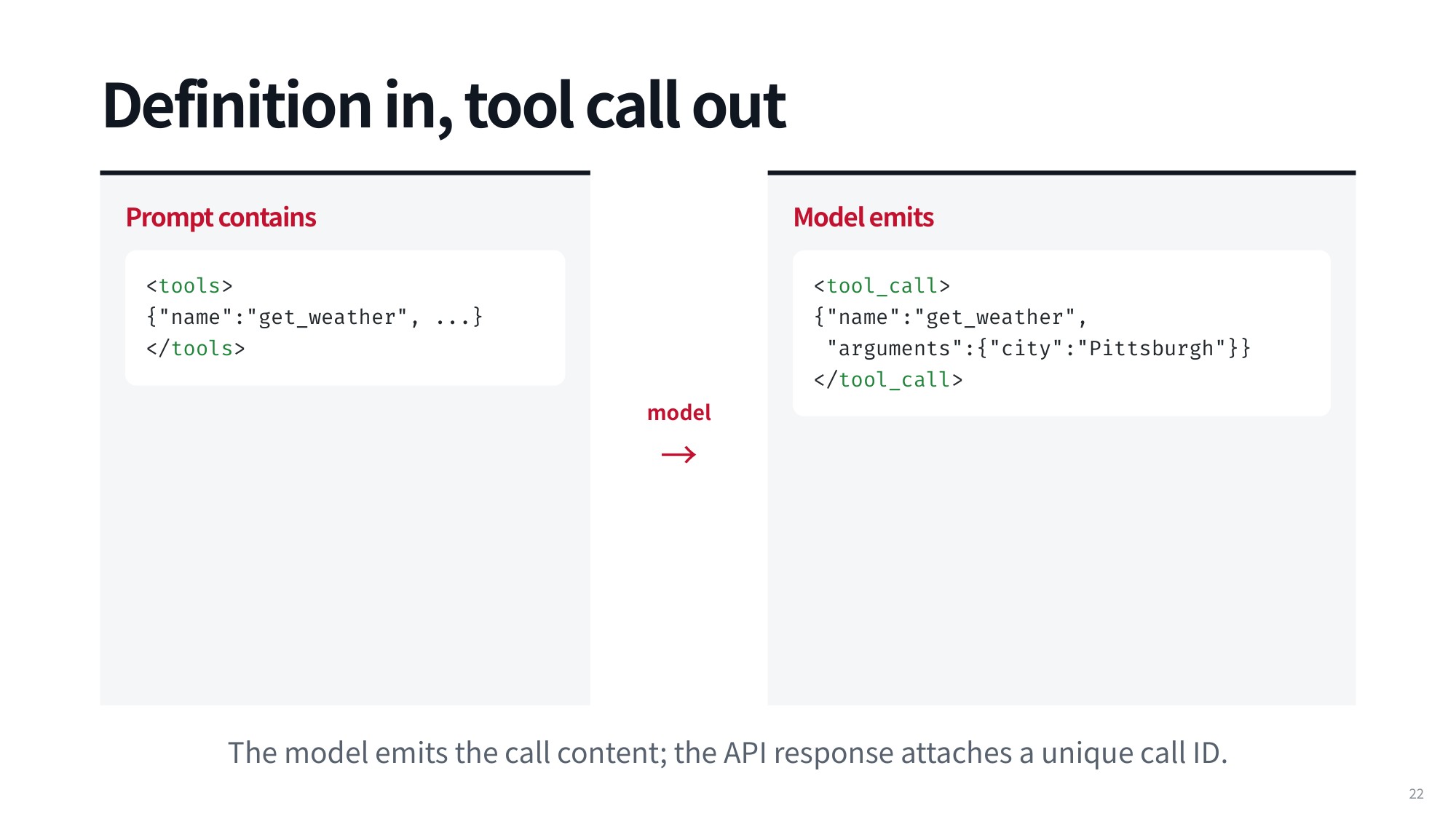
Fig 25. Definition in, tool call out
Tool execution may be absent from initial pre-training, but models are explicitly trained to follow a particular tool-calling format during mid-training and the later post-training stages.
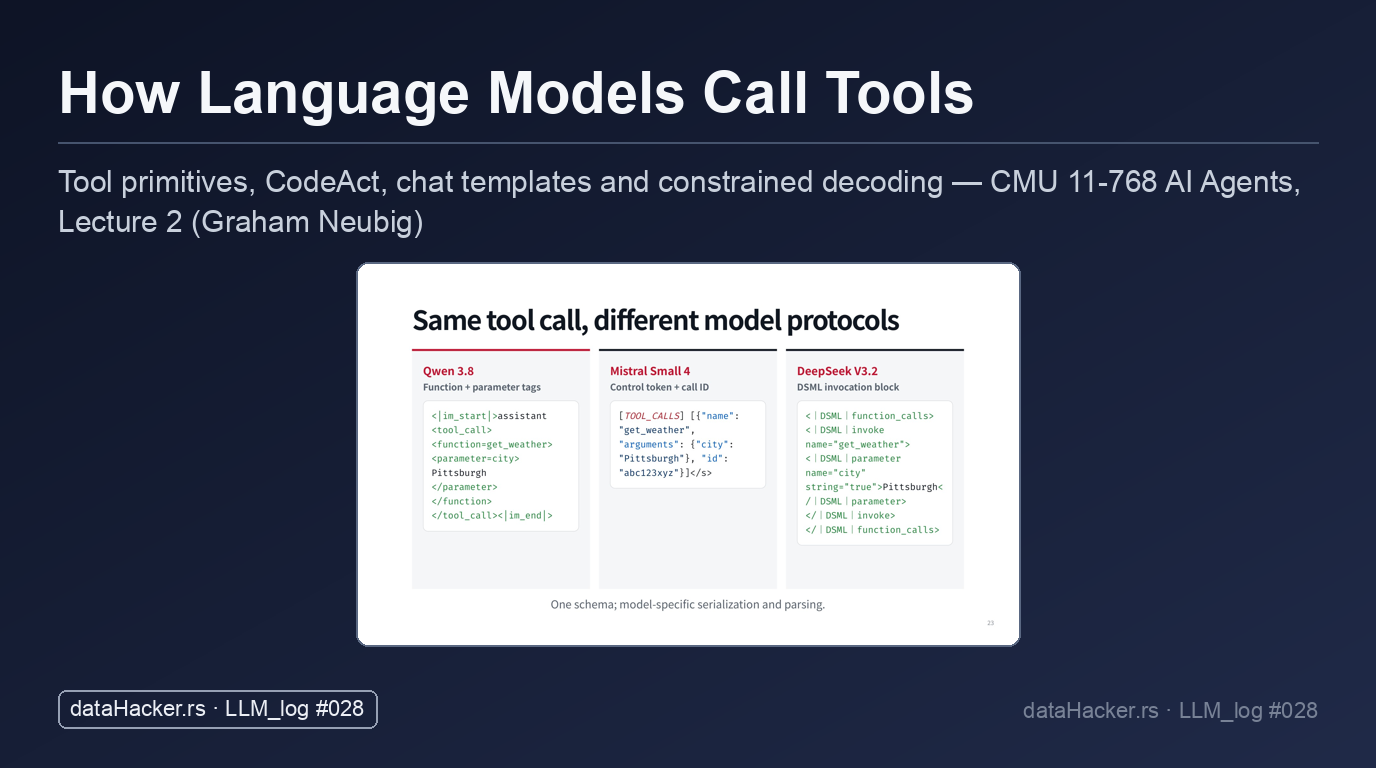
Almost every provider picks a different syntax and serialization format. Qwen opens an assistant turn with <|im_start|>assistant, wraps the call in <tool_call> … </tool_call>, and closes with <|im_end|>. Mistral uses [TOOL_CALLS] tags to encapsulate all tool requests. DeepSeek relies on DSML (DeepSeek Markup Language), calls these operations function calls rather than tool calls, and formats them with an invoke syntax (<|DSML|invoke name="get_weather">).
6. Model Protocol Diversity and Agent Dispatch Lifecycles
6.1 Incompatible Tool Call Syntax Across Model Protocols
Any of these formats works, and if you train the same model on the same data, the differences in performance are minor. What matters in practice is that the formats are fundamentally different across model providers and families.
Qwen 3.8 wraps the call in function and parameter tags:
<|im_start|>assistant
<tool_call>
<function=get_weather>
<parameter=city>
Pittsburgh
</parameter>
</function>
</tool_call><|im_end|>
Mistral Small 4 uses a control token plus a call ID:
[TOOL_CALLS] [{"name": "get_weather", "arguments": {"city": "Pittsburgh"}, "id": "abc123xyz"}]</s>
DeepSeek V3.2 uses a DSML invocation block:
<|DSML|function_calls>
<|DSML|invoke name="get_weather">
<|DSML|parameter name="city" string="true">Pittsburgh</|DSML|parameter>
</|DSML|invoke>
</|DSML|function_calls>
Because of these structural discrepancies, parsing code written for DeepSeek will not simply work with Qwen, or the other way around. Each protocol structures parameters, names, and delimiters by its own conventions.
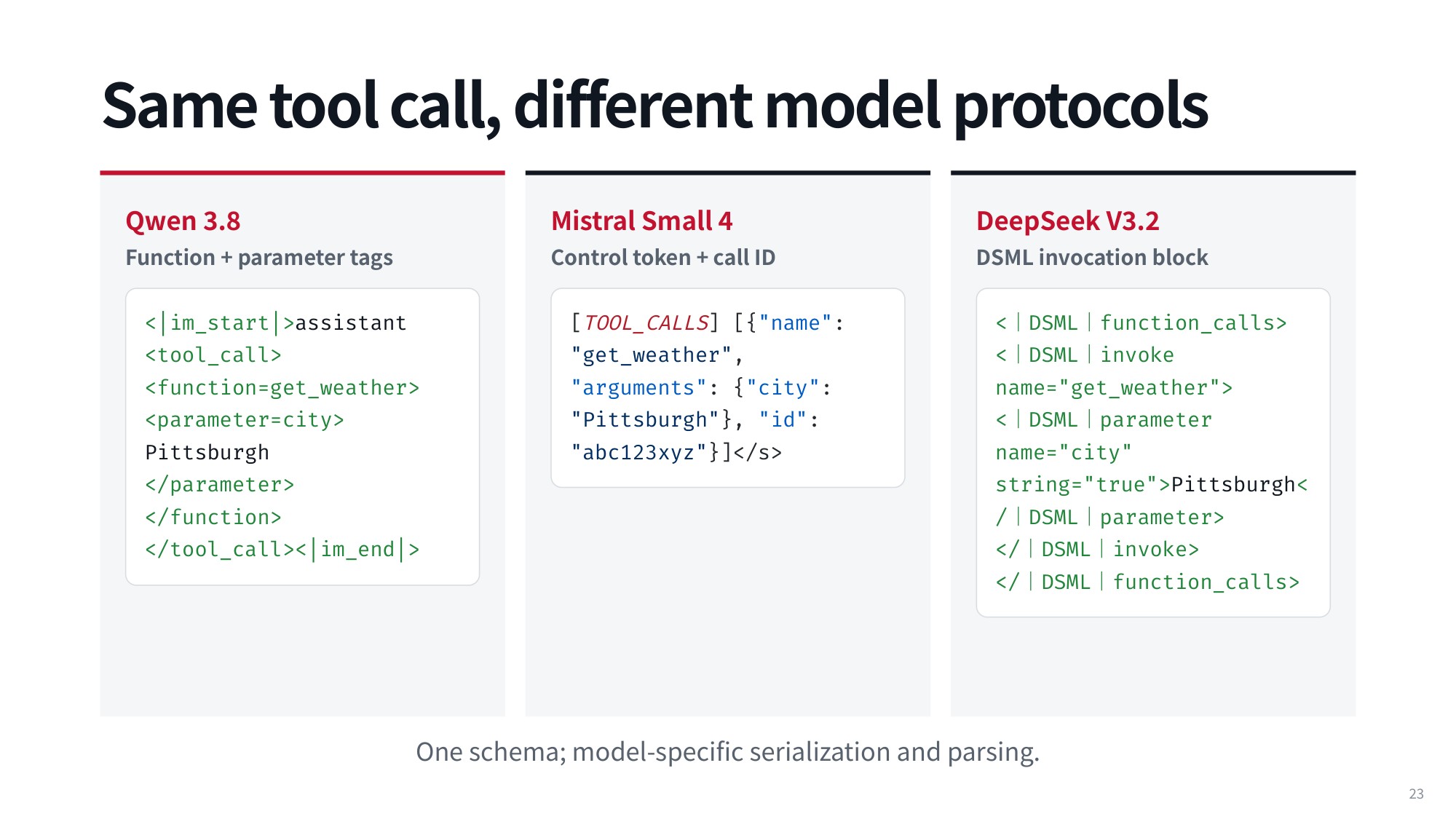
Fig 26. Same tool call, different model protocols
Given how differently each provider serializes calls, there is one strict rule for fine-tuning and one practical tool that implements it. Most of this is standardized today, but it pays to know what happens under the hood before moving on to tool call parsing and agent dispatch.
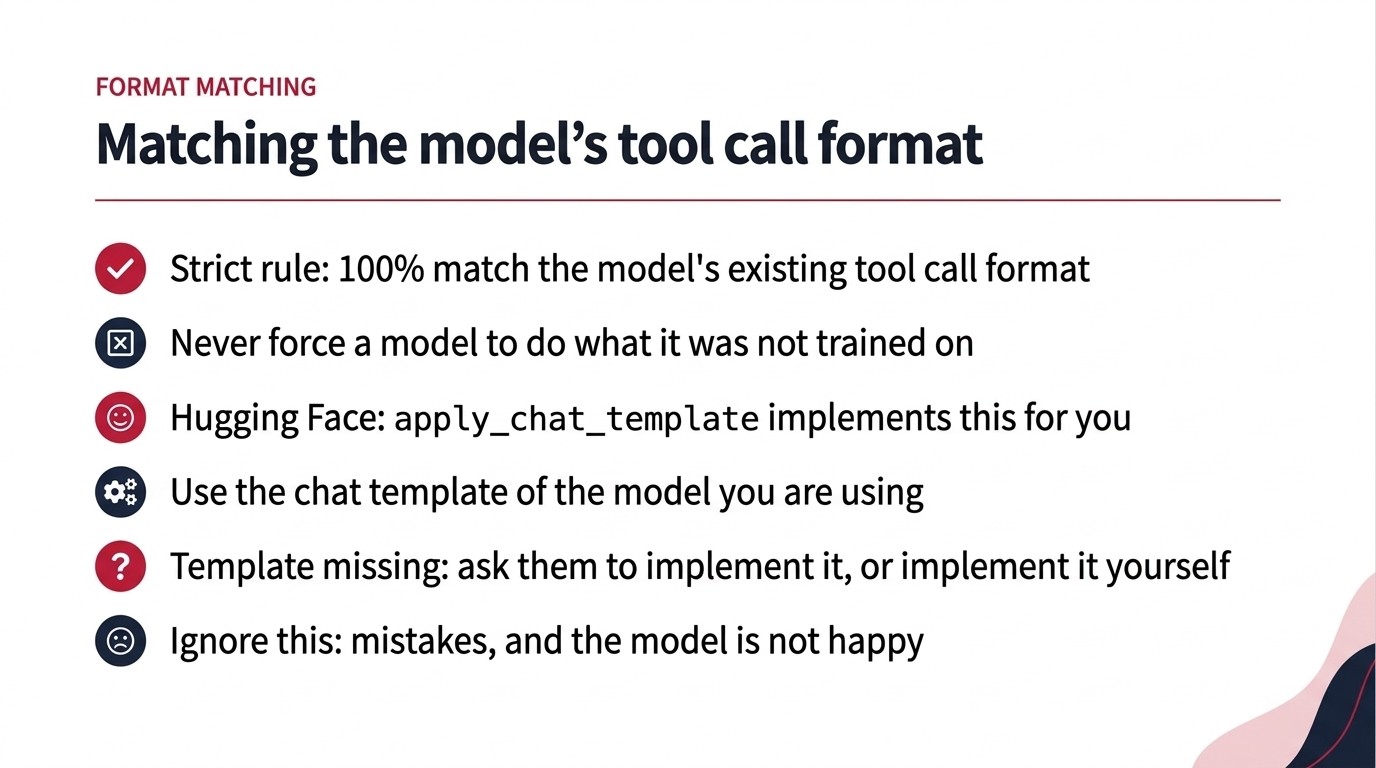
Fig 27. The fine-tuning rule, the Hugging Face helper that enforces it, and what goes wrong if you skip it.
6.2 Agent Harness Dispatch: Parsing, Lookup, Execution
Tool-call parsing is covered in Section 7; here we assume the harness can already turn model output into a function name and arguments.
At initialization, you register the available tools and set up a resolution mechanism: a mapping from each tool’s name to the executable tool itself. Most agentic frameworks give developers a structured way to add new tools, each with a unique name.
That name maps to an underlying implementation — a Python function, a TypeScript function, or code in whatever language you choose — so the harness can dispatch the call directly with the arguments the model supplied.
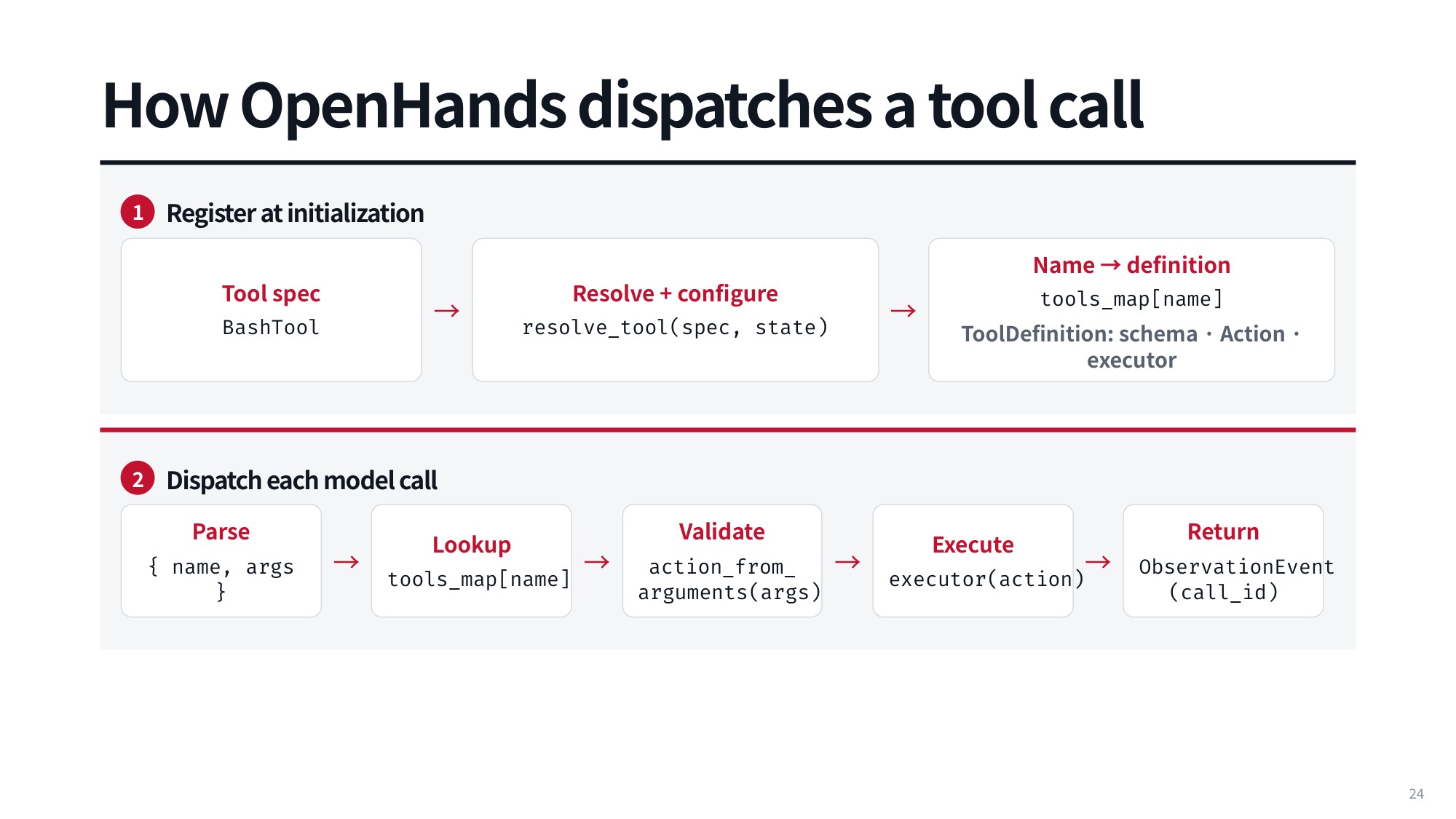
Fig 28. How OpenHands dispatches a tool call
With the mapping in place, every model call follows the same pipeline: parse the output, look up the tool in the registry, validate the action built from the arguments, execute the tool, and return the result.
Errors can appear at two different points. At validation time, the pipeline fails when the model generated the wrong tool call or arguments that do not match the expected parameters.
At execution time, a call can fail for reasons that were not flagged as invalid upfront but turn out to be implicitly invalid once evaluated. An execute Python tool is a good example: it legitimately accepts any string as Python code, but running that code may fail — that is an execution error.
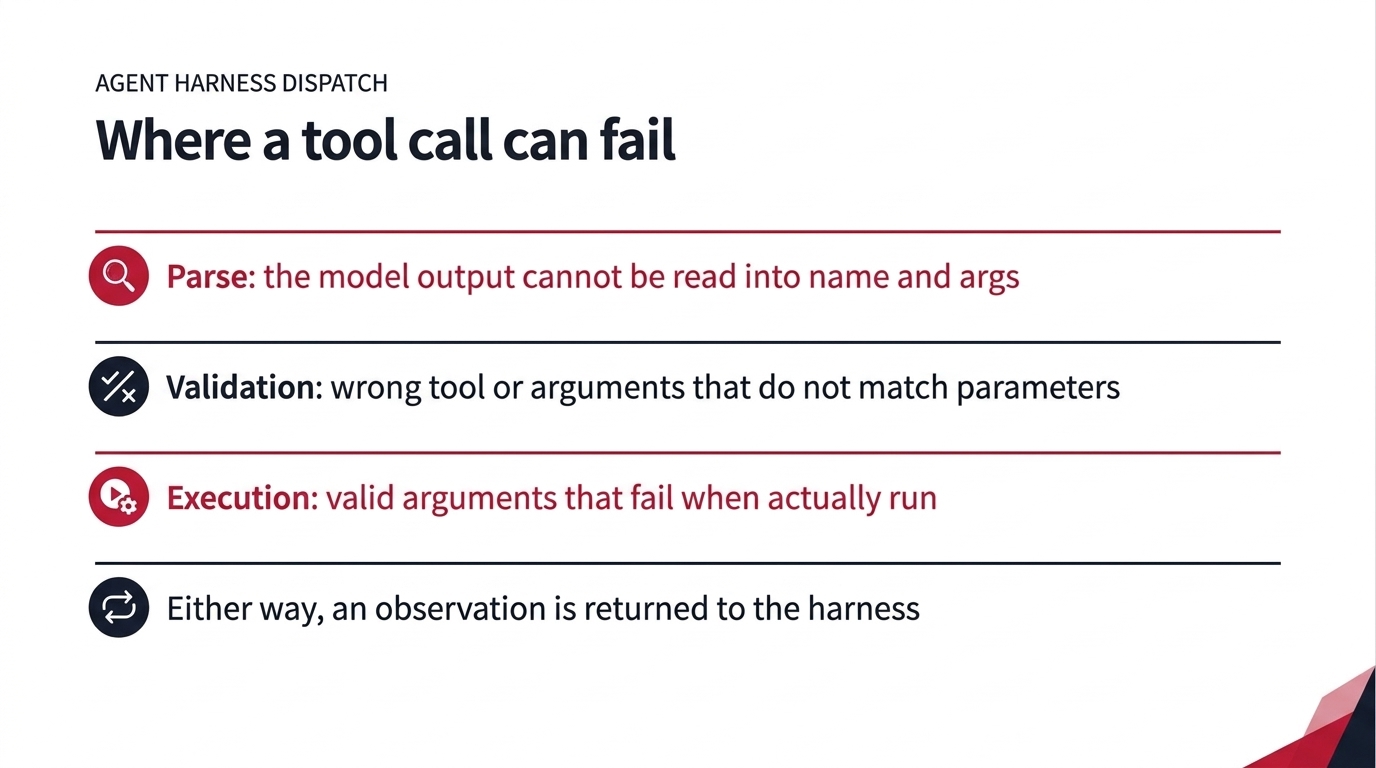
Fig 29. Where a tool call can fail
Whether the invocation succeeds or fails, you get an observation back to return to the harness. Returning it requires tracking the execution back to the caller.
6.3 Execution Tracking and Matching Results by Call ID
Connecting an observation back to its original request relies on call IDs — a detail that is extremely helpful and notoriously annoying once you get it wrong.
Whenever a tool call is issued, it receives a unique identifier from either the language model inference code or your agent code. The result that comes back carries the matching call ID.
For example, the assistant tool call:
{
  "id": "call_123",
  "name": "get_weather",
  "arguments": {"city": "Pittsburgh"}
}
and the matching tool-result message:
{
  "role": "tool",
  "tool_call_id": "call_123",
  "content": "72°F · sunny"
}
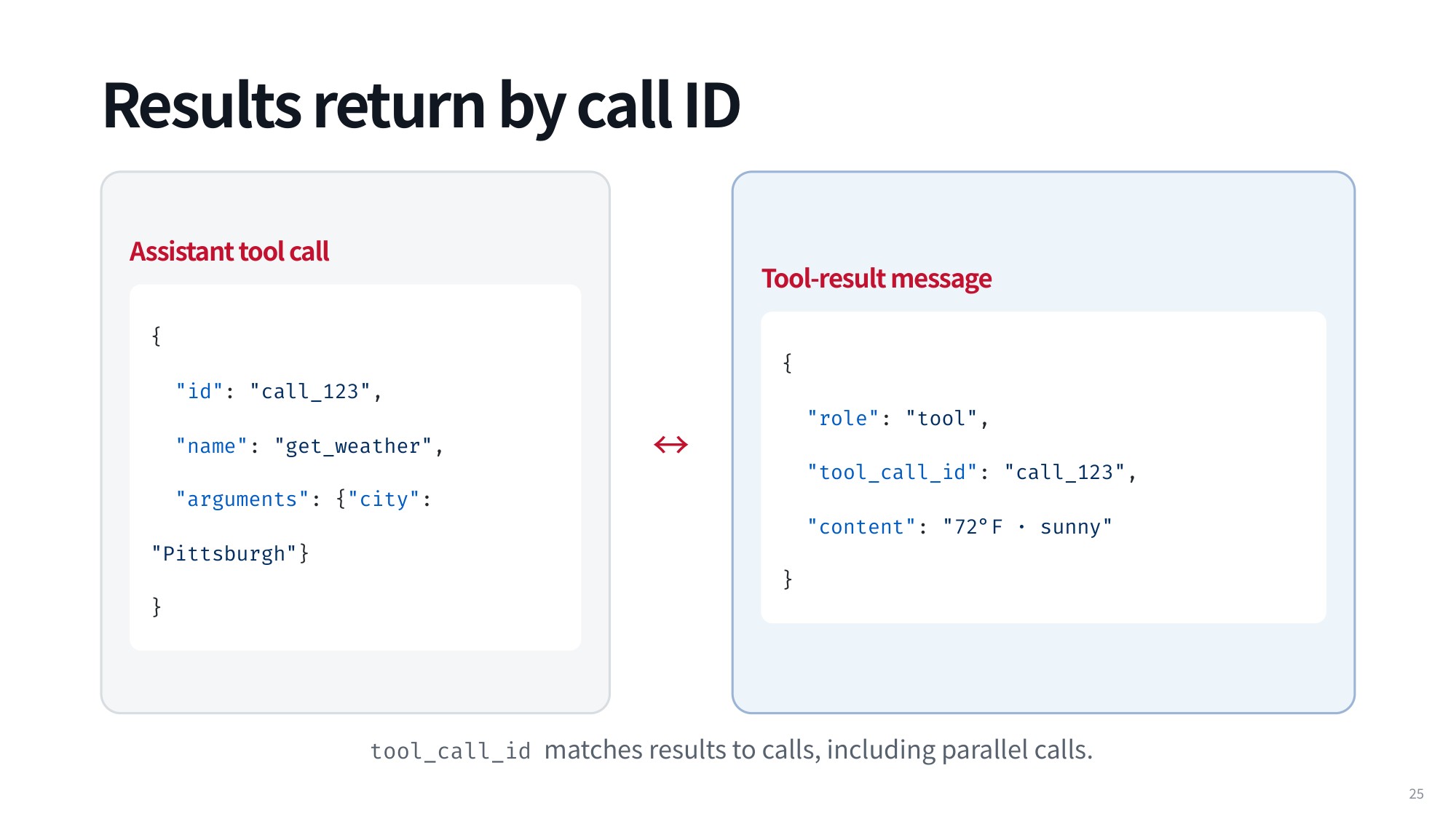
Fig 30. Results return by call ID
Explicit pairing matters most in parallel tool calling, where several functions are dispatched at once. Matching IDs let the agent harness determine unambiguously which observation belongs to which call.
Strict validation, though, can cause real headaches. Submit a message history to Anthropic that contains a tool call without a matching tool result, and the API rejects the payload as an invalid conversation history and refuses to generate anything further.
As Graham Neubig notes in the CMU lecture, this typically happens when the assistant makes a tool call and the program crashes before the tool result is written out. On resume, the history is missing the result, and Anthropic stops working entirely.
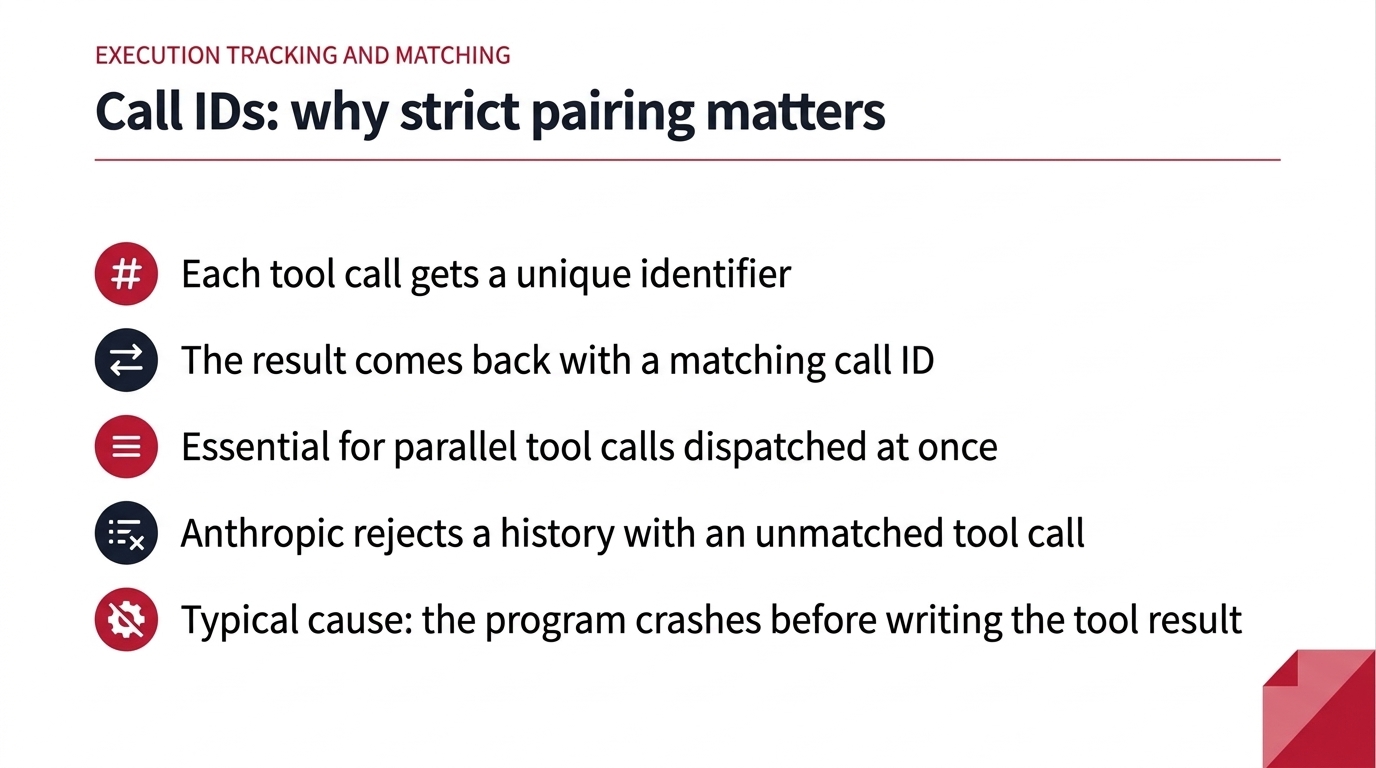
Fig 31. Call IDs: why strict pairing matters
7. Malformed Output Failures and JSON Schema Constraints
7.1 Parser Failures from Malformed Tool Calls
Language models are not guaranteed to generate well-formed tool calls. Once a model is in production, you are at the mercy of its raw token predictions unless you take explicit control over generation.
Consider an output string like {"name":"get_weather", "arguments":{"city":"Pittsburgh"}. Look closely and the final closing brace } is missing. That single absent character makes the whole thing poorly formed JSON.
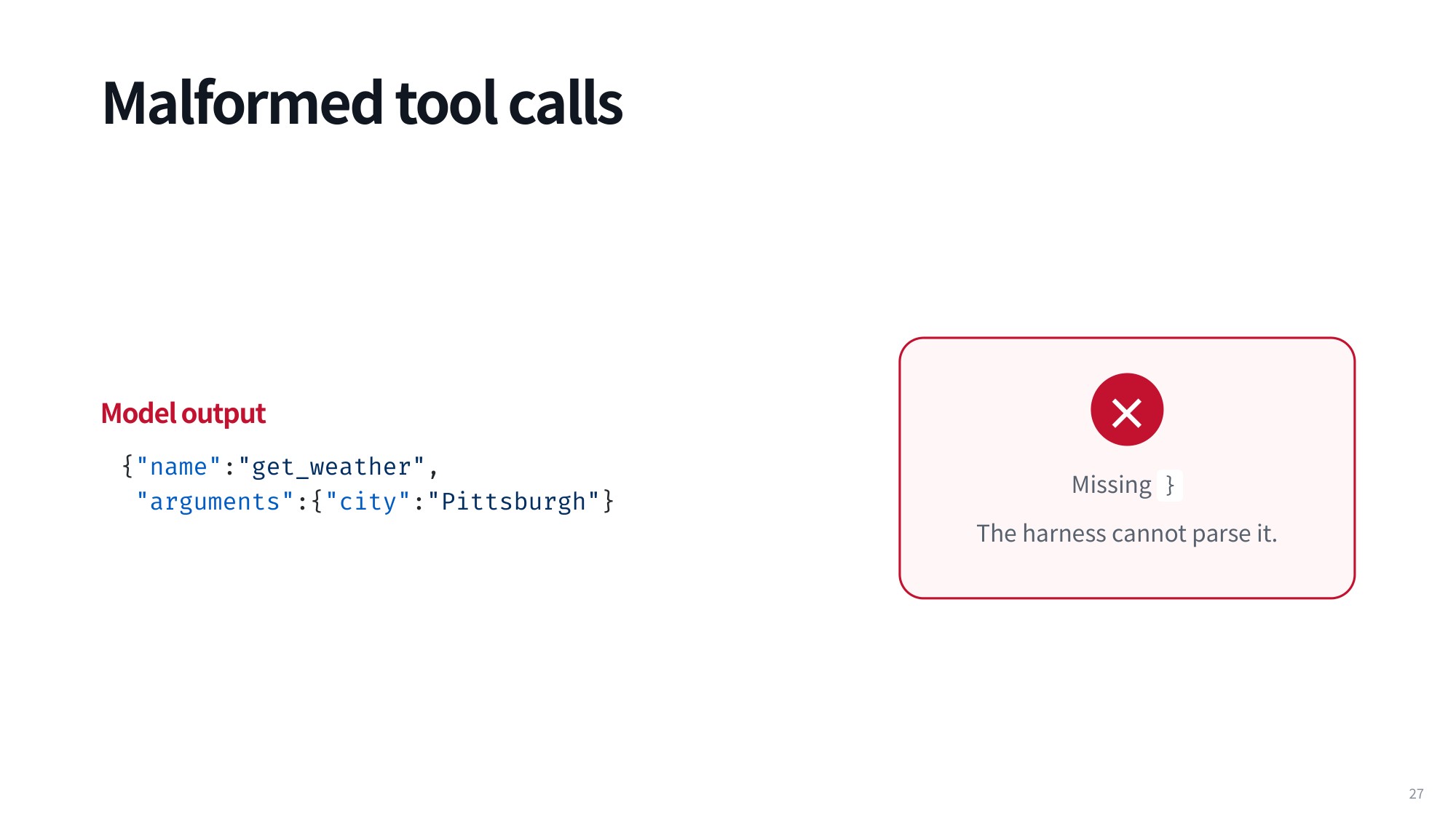
Fig 32. Malformed tool calls
Feed that string to a standard JSON parser and it throws an exception immediately, leaving you with no usable data. Countless teams respond by writing heuristic cleanup scripts that guess which brackets are missing and paste them back in after the fact. That kind of ad-hoc patching does not belong in a serious pipeline.
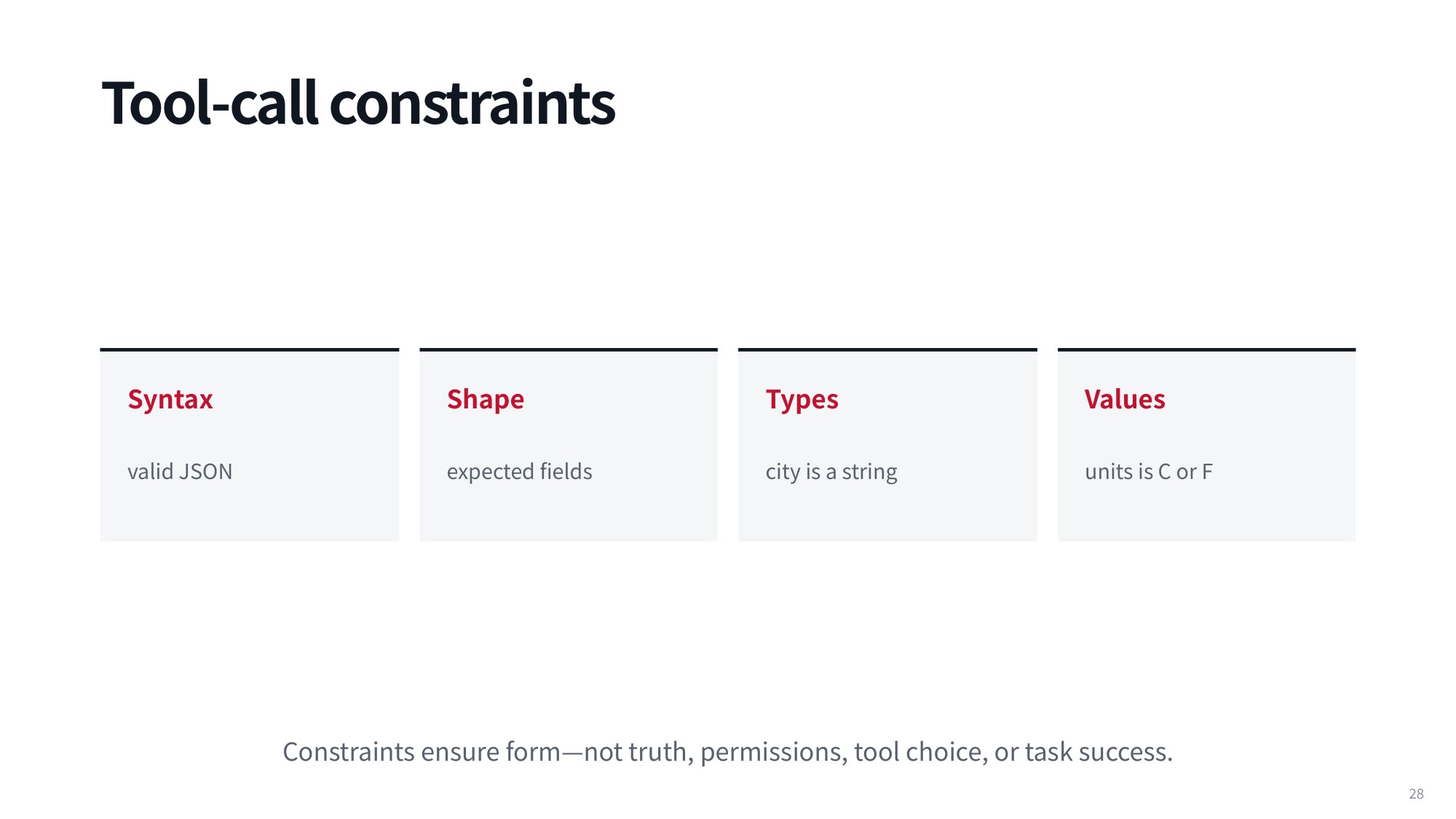
Fig 33. Tool-call constraints
A better approach is to assign a clear set of constraints to every tool call from the start. The first is syntax: the output must be valid JSON that parses without error, which is table stakes for any operational agent. The second is shape: whenever an endpoint defines required fields, those fields must actually appear in the payload.
The third constraint is types. A field designated for a city must be generated as a string, not a number or a nested dictionary. The fourth is values: the content has to fall inside the allowed set, so a units field must be C or F and nothing else. The lecture adds an important caveat worth repeating: constraints ensure form
dash not truth, permissions, tool choice, or task success.
All of these requirements can be expressed through JSON Schema, or any modern schema library. You declare that there is a property named city, that its type is a string, that city is required, and that unit values are restricted to Celsius or Fahrenheit. The payoff is machine-readable validation rules, so you can programmatically check whether a generated tool call follows your specification.
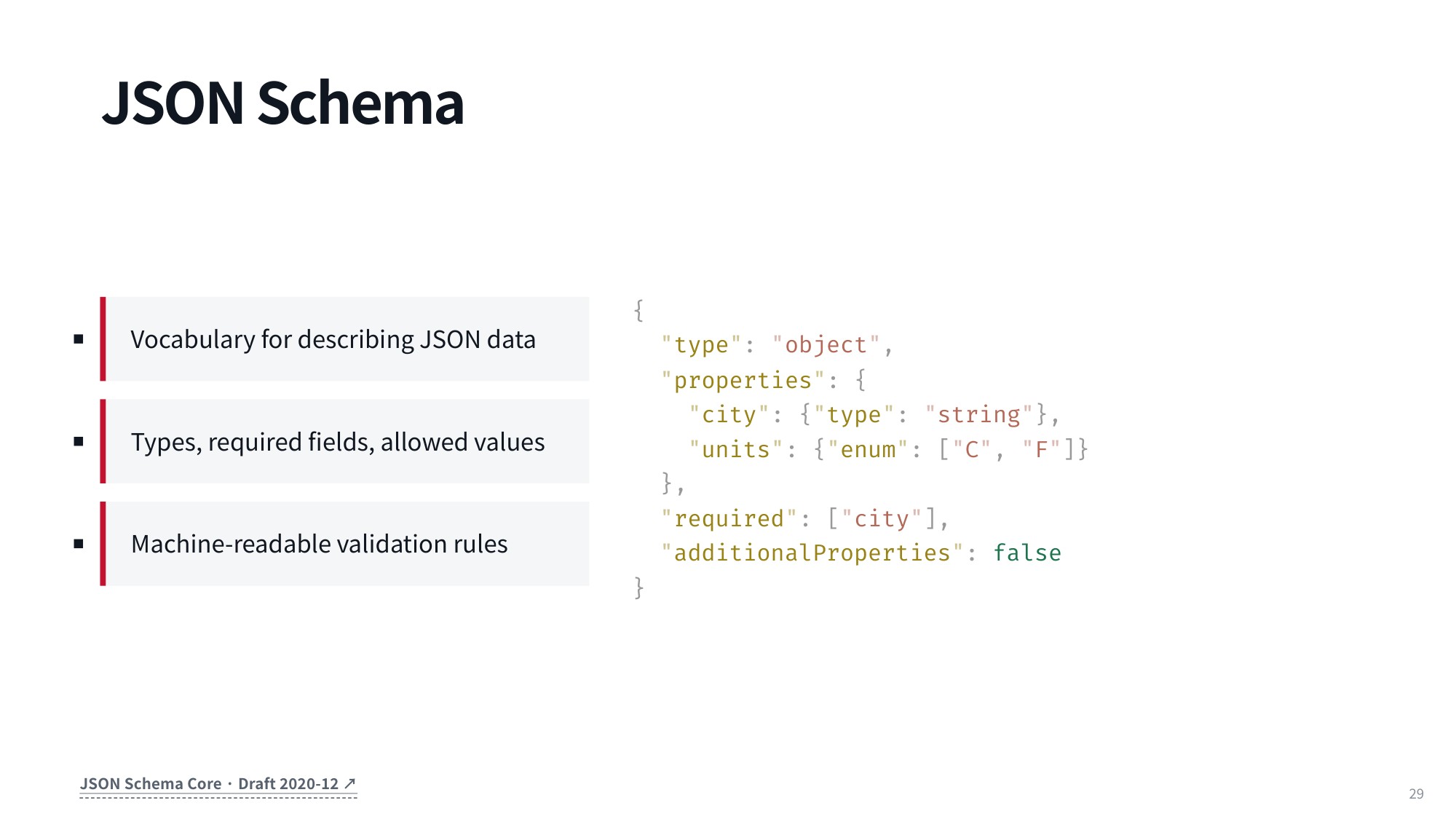
Fig 34. JSON Schema
7.2 Schema-Valid and Schema-Invalid Grammar States
One effective way to decide whether a tool call is schema-valid or schema-invalid is to define a formal grammar over the schema itself. The grammar specifies valid derivations for keys and values during generation, so you can test whether a token sequence forms an acceptable structure under the contract.
Compare two candidate payloads: {"city":"Pgh","units":"F"} versus {"city":"Pgh","units":"K"}.
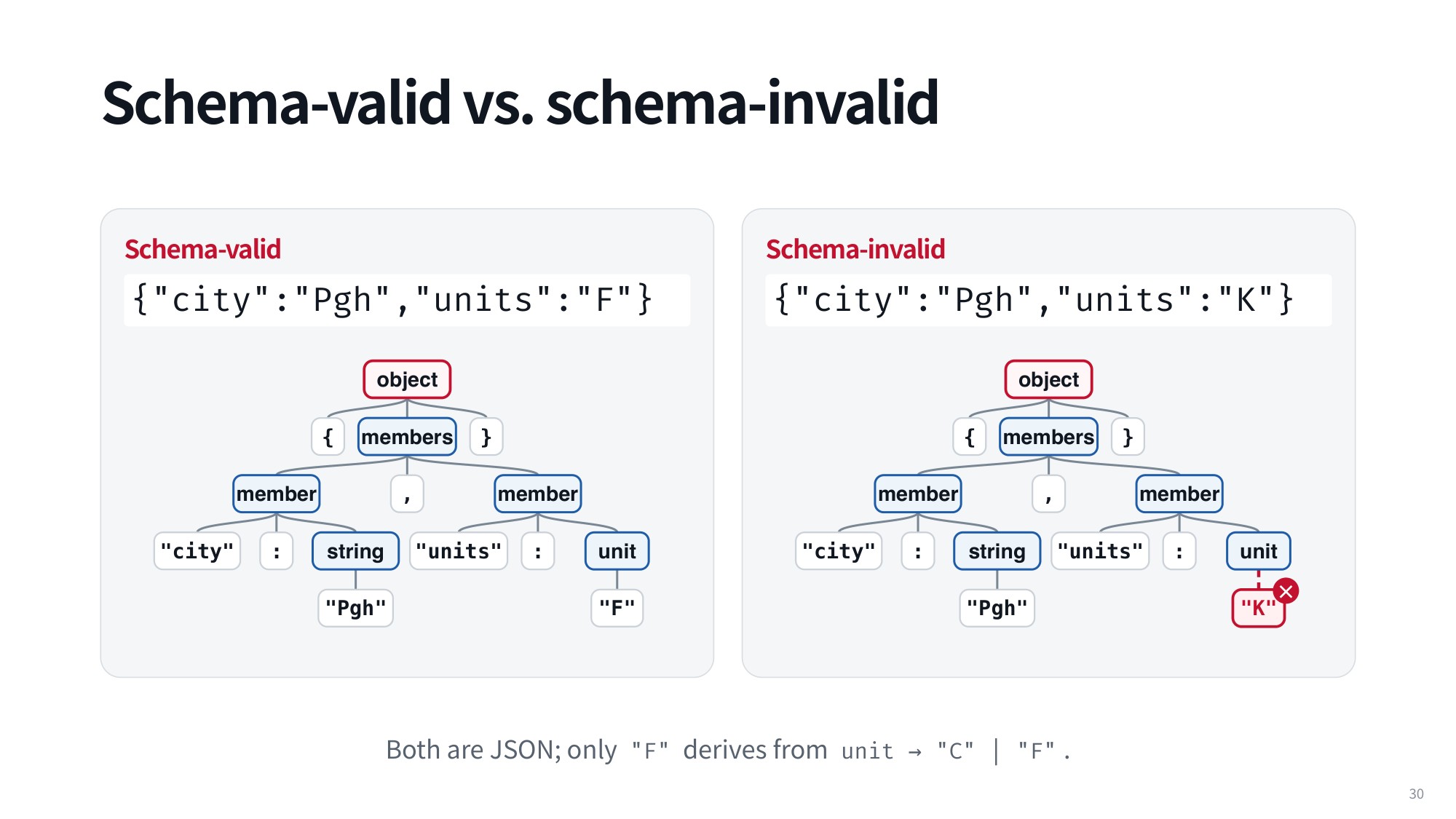
Fig 35. Schema-valid vs. schema-invalid
In a valid derivation, every key-value pair expands according to the schema rules, and "units" maps cleanly to an accepted terminal value like "F". With "K", the derivation breaks down at the terminal node because that value is outside the permitted set. Both strings are perfectly valid raw JSON that a standard parser would read, but only "F" derives from the grammar production rule:
unit → "C" | "F"
The grammar cleanly separates structurally permissible objects from invalid ones.
This connects to classical computer science. A regular expression is a classic example of a regular grammar, and it is parsed with a finite state automaton: you hold a current state and transition to a different state on every input token. Receive the token A and the automaton moves to one state; receive B or C and it moves elsewhere.
7.3 JSON Schema Specifications for Tool Arguments
The familiar slashes, dot-stars, and other pattern-matching symbols you use to search and filter text can all be expressed as regular grammars. A JSON schema cannot.
A JSON schema needs a context-free grammar, which builds a hierarchical parse tree and enforces nested structural constraints. That covers an object with a required string property "city", an optional "units" restricted to the enum ["C", "F"], and "additionalProperties": false to keep unapproved fields out of the payload.
Under this representation, every valid JSON expression has enclosing brackets on the outside and commas separating its members. In the weather tool schema, one member parses into a string for the city name and another corresponds to the unit parameter. When the input matches, you get a complete parse tree in which every terminal node satisfies the schema.
When the model violates the schema, you can often still build most of the tree. Validation fails the moment you reach an invalid terminal value: the unit cannot be "K", so that branch fails. Kelvin is a real temperature unit, but this tool schema was defined to accept only Celsius or Fahrenheit.
7.4 Argument Validation and Grammar Conformance
If you can parse a tool call with a context-free grammar derived from your JSON schema, you can guarantee that the generated arguments conform to the specification. Take a schema with "type": "object", a "city" of "type": "string", "units" restricted by "enum": ["C", "F"], plus "required": ["city"] and "additionalProperties": false.
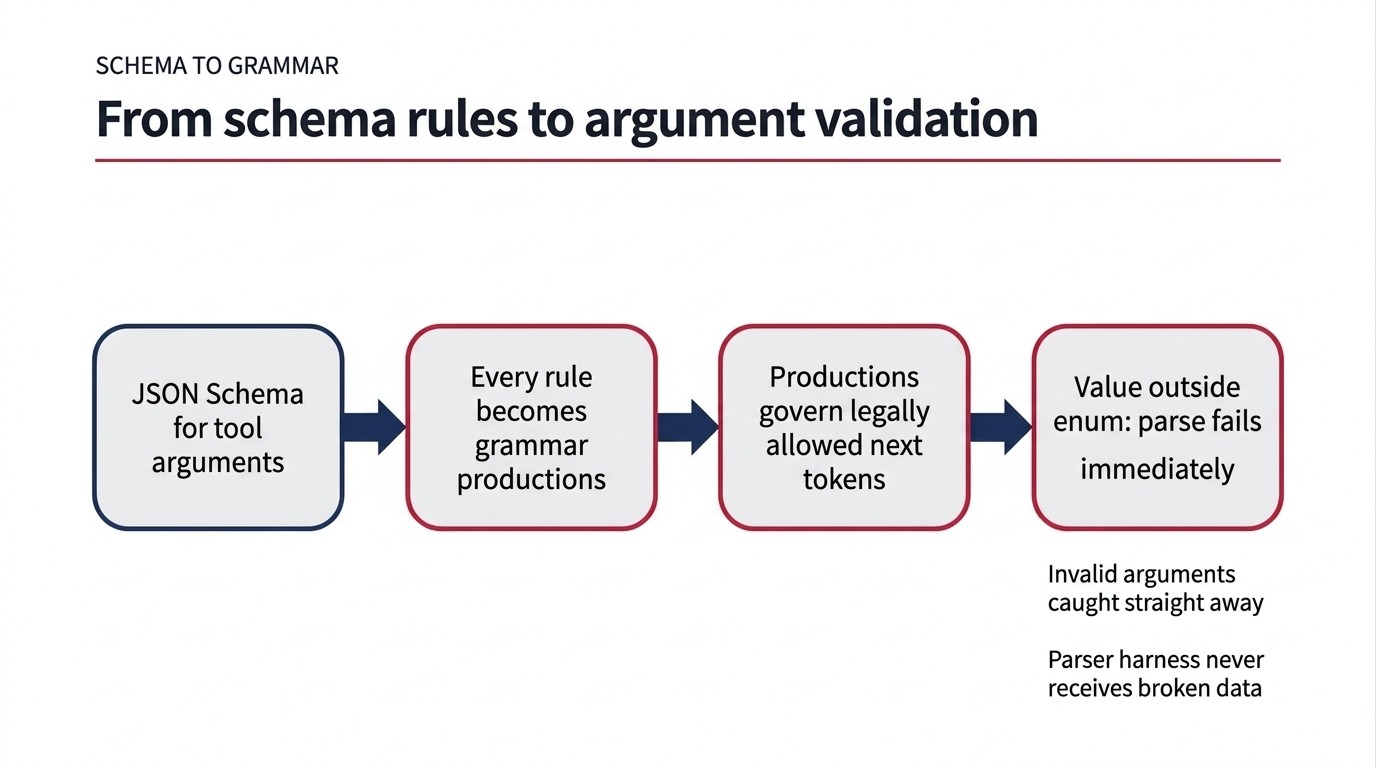
Fig 36. Each schema rule becomes a grammar production that governs the next token and rejects out-of-specification values.
8. Grammar-Constrained Decoding Mechanics and Optimization
8.1 Pushdown Automata for JSON
A finite state automaton cannot parse a context-free grammar. JSON is context-free, so validating it requires a pushdown automaton (PDA): a regular grammar augmented with a stack.
With a stack you can push and pop symbols, and that dynamic capability is what lets you decide whether an arbitrary stream of input tokens is valid and parsable.
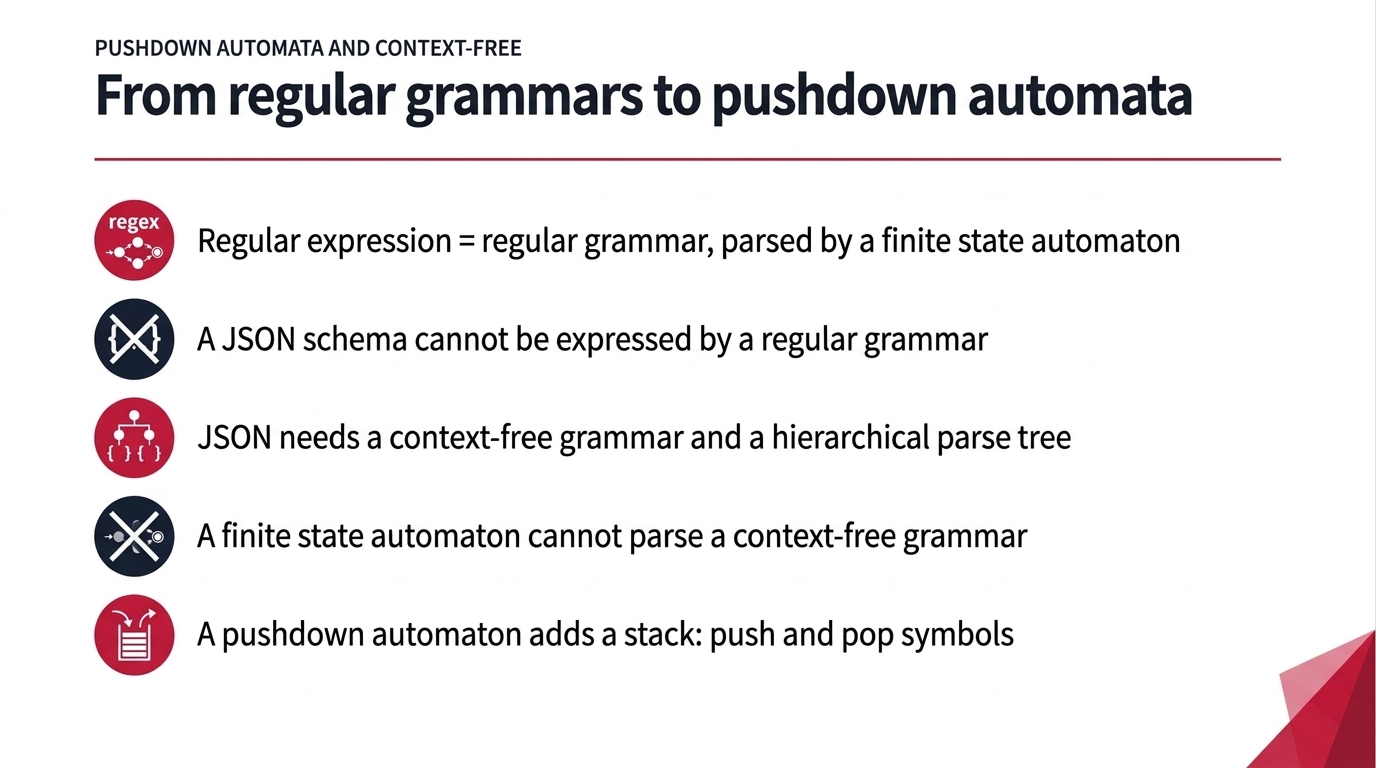
Fig 37. From regular grammars to pushdown automata
The stack is what remembers nesting: an opening brace pushes an object, an opening bracket pushes an array, and the matching closing symbols pop them back off. The finite control alone only tracks your local position inside a grammar rule — exactly why a regular grammar falls short for JSON.
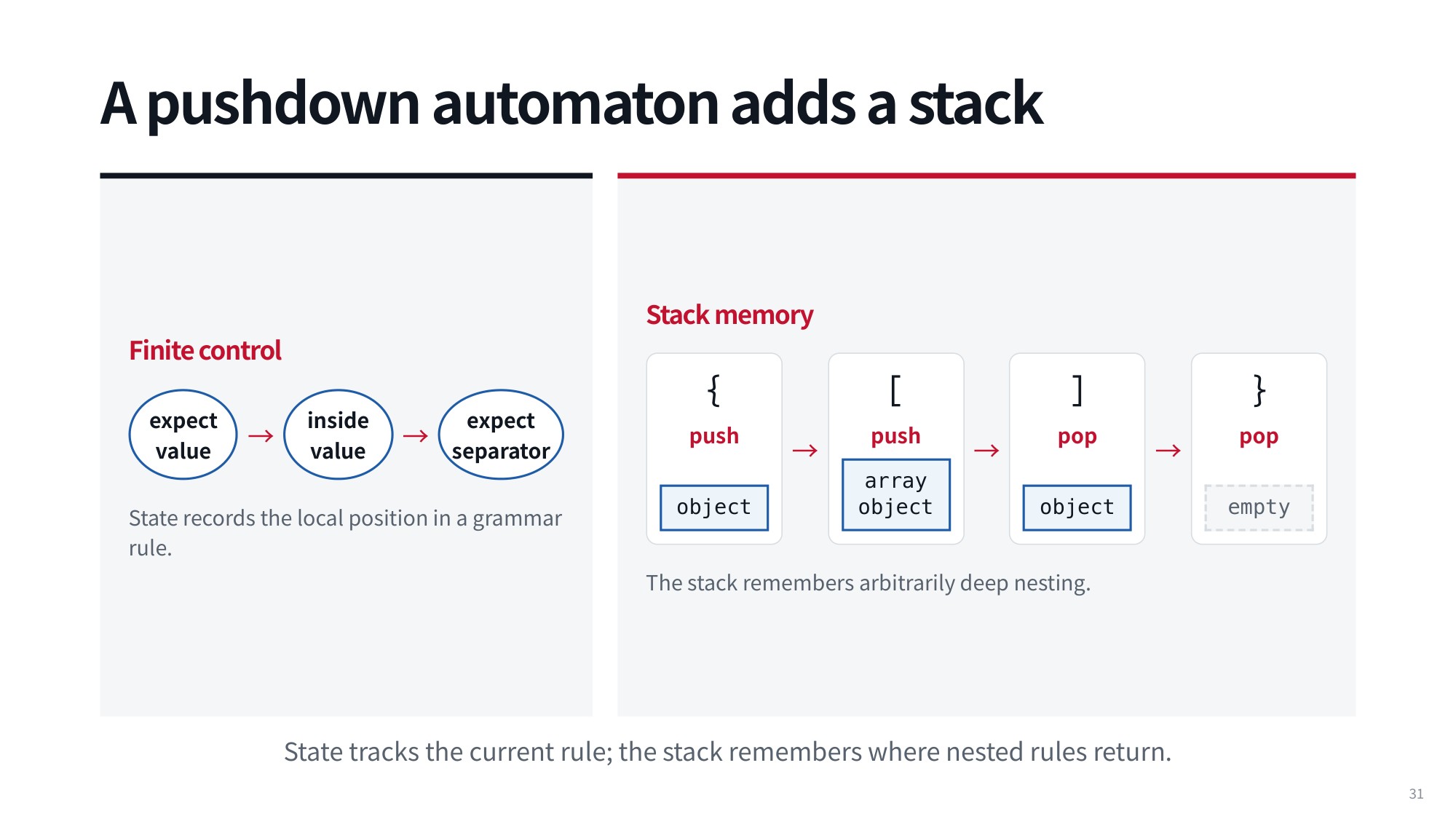
Fig 38. A pushdown automaton adds a stack to parse context-free grammars
In practice you start from the initial state of the automaton. As the model emits tokens left to right, you step through the automaton and validate incrementally, which lets you steer autoregressive generation at every decoding step.
8.2 Token-Level Logit Masking
How does that incremental validation work during inference? A good reference is XGrammar, now widely adopted across the major LLM inference libraries and developed by researchers in the Machine Learning Department at Carnegie Mellon University (Dong et al., MLSys 2025).
The idea is simple. Whenever the LLM predicts logits for the next token, you consult the grammar: a token that is a valid continuation gets an acceptance score of 1, and a token that violates the grammar gets 0.
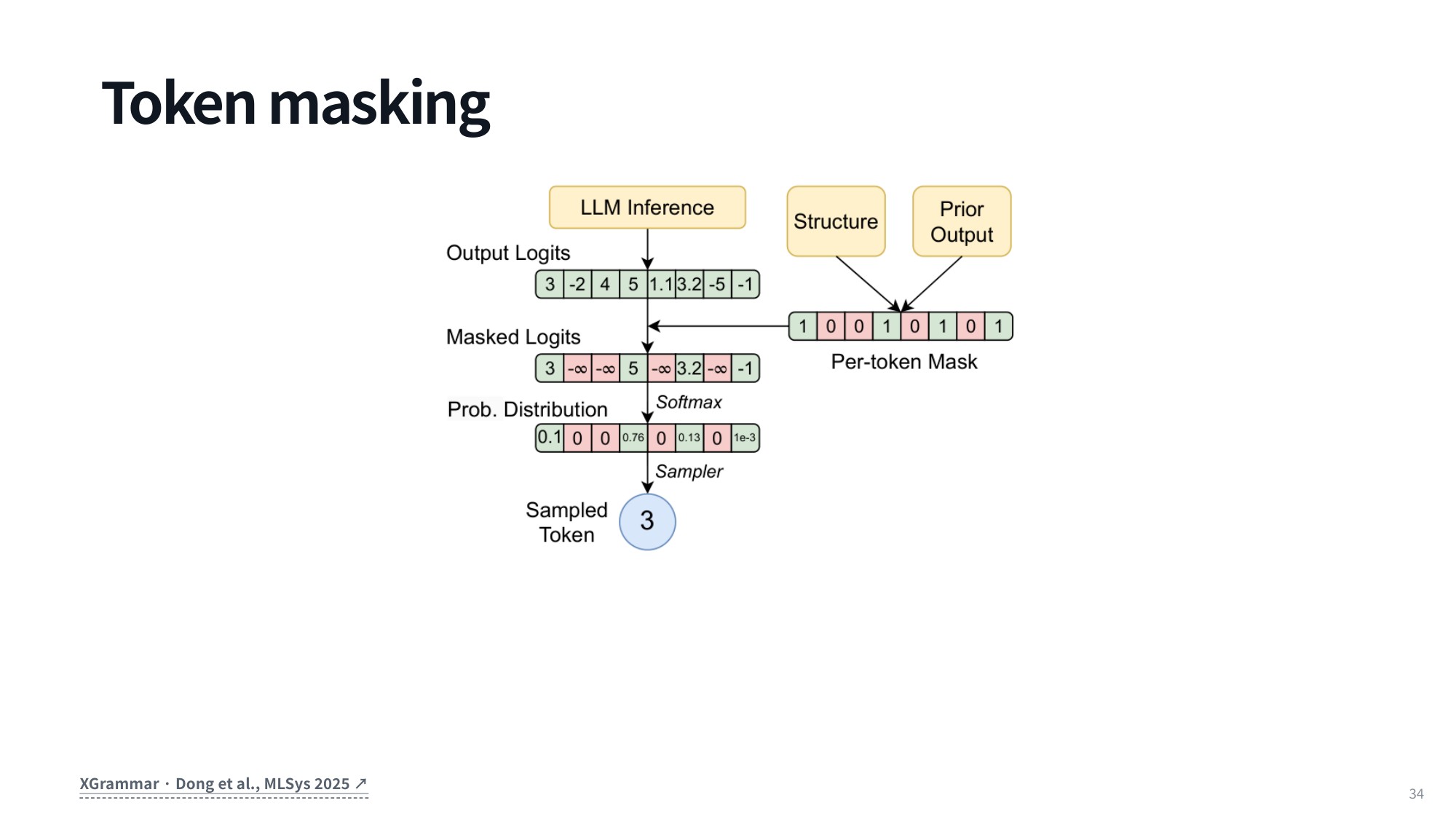
Fig 39. Token masking during autoregressive generation
You then set the raw logits of all invalid tokens to −∞ and renormalize across the vocabulary. Probability mass ends up strictly on valid tokens, so the model can only generate output that conforms to your constraints.
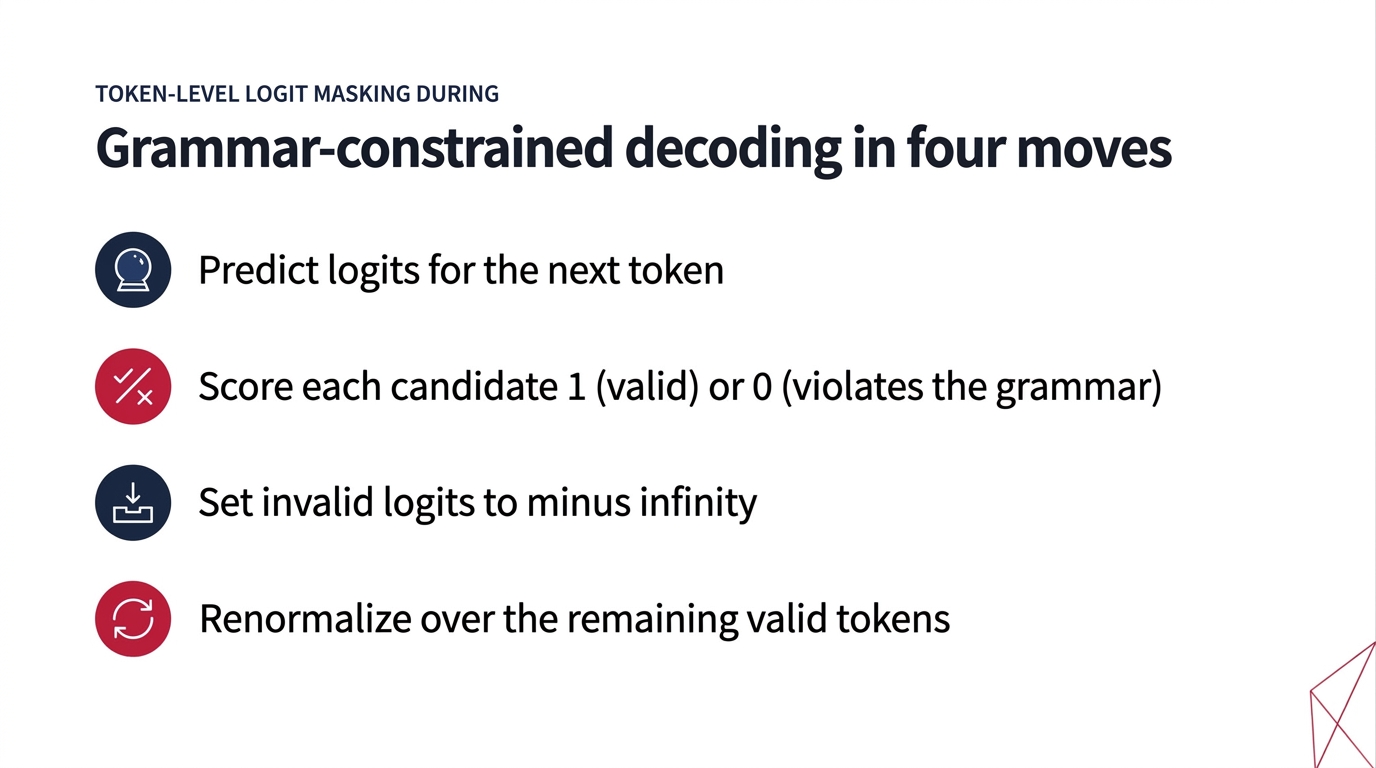
Fig 40. Grammar-constrained decoding in four moves
The XGrammar paper also shows how to make this checking computationally tractable. Some vocabulary tokens are always valid or always invalid regardless of state, so their masks can be pre-computed. Others are valid only within certain stack contexts and must be evaluated dynamically.
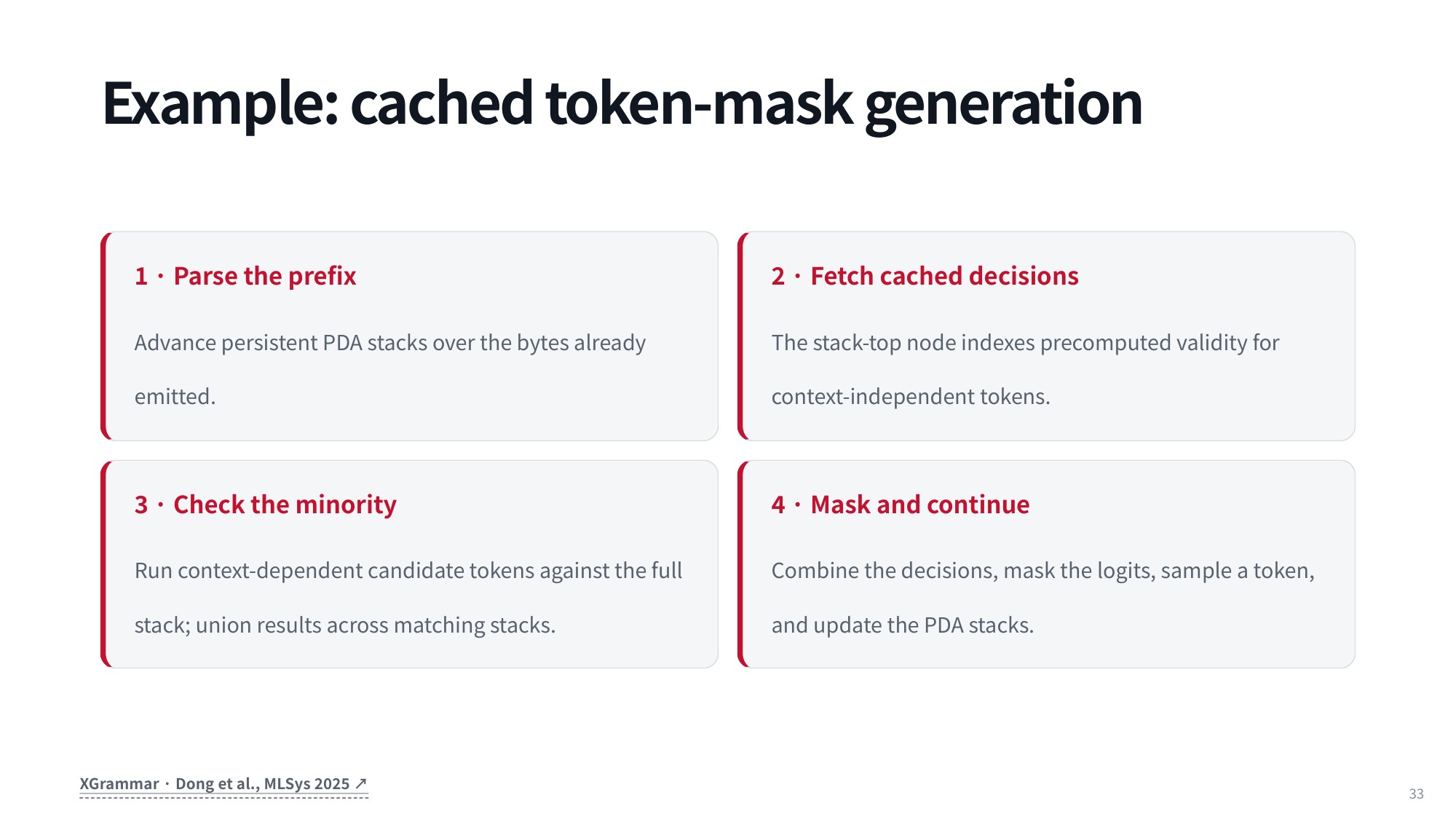
Fig 41. Cached token-mask generation in XGrammar
8.3 Why the Caching Scheme Is Fast
If you enjoy algorithmic engineering, this acceleration framework is a treat. Caching handles most tokens, persistent stacks support branching, and the CPU work overlaps with GPU inference, which keeps runtime overhead low while syntax is strictly enforced.
The practical payoff: with constrained decoding enabled and an appropriate JSON schema set, you get well-formed tool calls essentially every time.
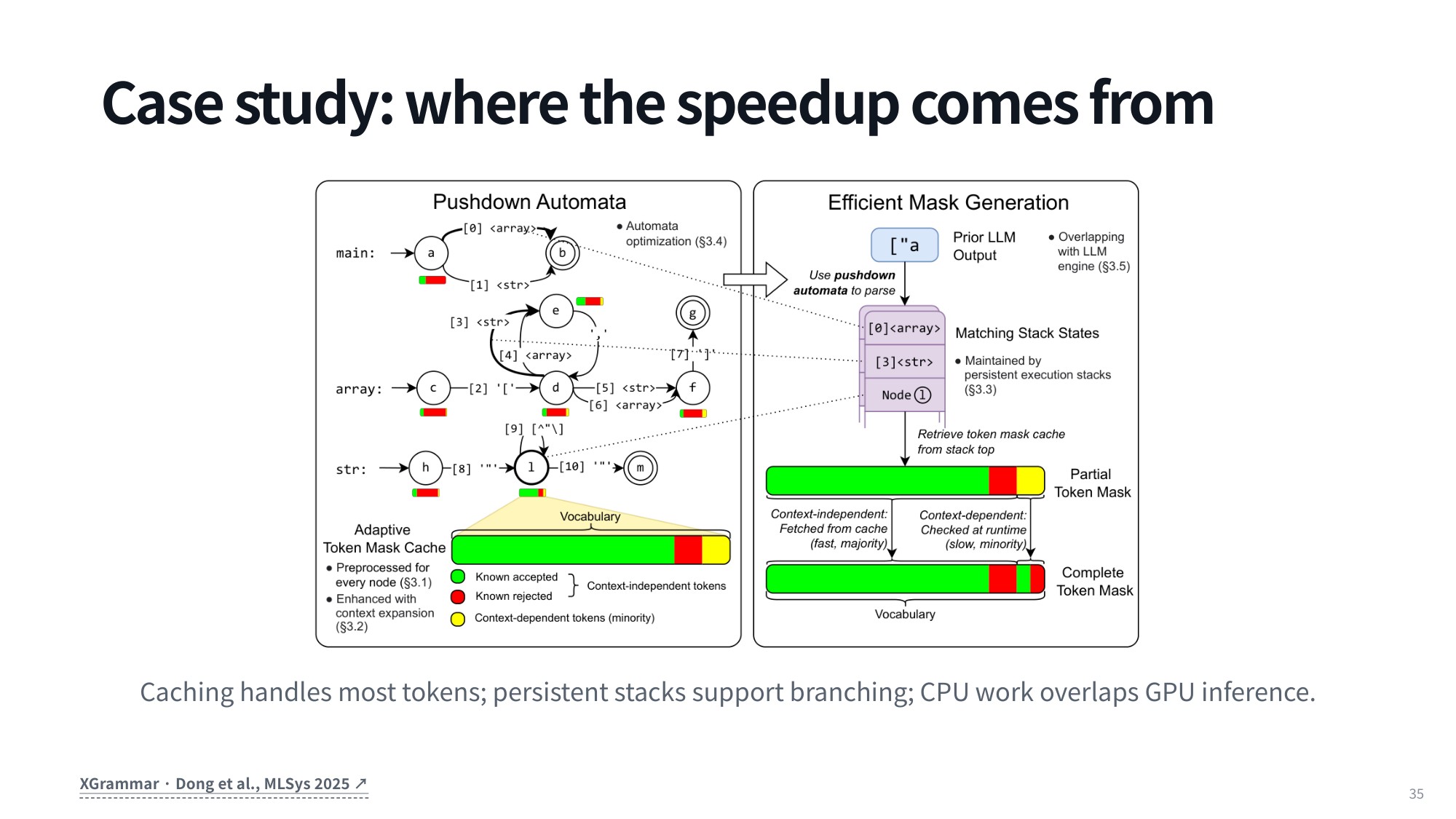
Fig 42. Case study on where the speedup comes from in XGrammar
9. Summary
9.1 Capabilities, mechanics, constraints
- Capabilities: tools are what turn a language model into an agent. They either extend its reach to information and actions outside its token space (search, private state, external APIs, changing an external environment) or facilitate what it could already do, but faster and more reliably (calculators, code execution, exact computation).
- Mechanics: tool definitions and tool calls are just tokens inside the chat template, serialized differently by Qwen, Mistral, and DeepSeek’s DSML. An agent harness parses the call, looks it up in the tool registry, validates the arguments, executes, and returns an observation whose call ID must match the original tool call.
- Constraints: JSON Schema pins down syntax, shape, types, and values. Since JSON is context-free rather than regular, a pushdown automaton plus runtime logit masking (as in XGrammar) keeps generation on the grammar. Constraints ensure form, not truth, permissions, tool choice, or task success.
Code deserves its own line here. A single program expresses assignments, arithmetic, control flow, library calls, and your own utility functions, so code is a meta-tool: it collapses a long chain of one-API-per-step invocations into one execution turn. CodeAct shows this raises success rates and lowers the number of interaction turns, even on tasks nobody would call coding tasks.
On the mechanics side, a harness like OpenHands owns the whole lifecycle: parse the model output, query the tool registry, execute the action, and map results back by unique call ID so multi-turn context stays valid and synchronized.
And malformed output is what crashes parsers in production, which is why you write a rigorous JSON Schema and enforce it during autoregressive generation, pruning invalid candidate tokens at each step rather than repairing broken JSON afterwards.
9.2 Rules of thumb
- Decide first whether a tool extends the model (fresh information, private state, side effects on the world) or merely facilitates it (something it could do slowly and unreliably on its own). The two cases justify very different designs.
- Programmatic tool calling buys expressiveness at a cost: infinite loops, compromised libraries, a broad action space that is hard to validate, and a higher resource impact. Plan on sandboxing.
- One schema, model-specific serialization and parsing. Use the model’s own chat template, and match its tool call format when you fine-tune.
- Keep call IDs straight. They are what makes parallel tool calling and a valid conversation history possible.
- Constrained decoding over a JSON Schema, compiled into a pushdown automaton as in XGrammar, masks invalid next tokens and gives you well-formed tool calls. It does not tell you the call was the right one.
Source
Lecture: Tool Use for Language Model Agents by Graham Neubig, Carnegie Mellon University.
Course: CMU 11-768 AI Agents (Fall 2026), Lecture 2, first half.
Video: YouTube. Slides: PDF. Course page: cmu-agents.com.
Further reading referenced in the lecture:
- Wang et al., What Are Tools Anyway? A Survey from the Language Model Perspective, COLM 2024 — arXiv:2403.15452
- Wang et al., Executable Code Actions Elicit Better LLM Agents (CodeAct), ICML 2024 — arXiv:2402.01030
- Dong et al., XGrammar: Flexible and Efficient Structured Generation Engine for Large Language Models, MLSys 2025 — arXiv:2411.15100
- JSON Schema Core, Draft 2020-12 — json-schema.org
- OpenHands — GitHub
dataHacker.rs — LLM_log #028: How Language Models Call Tools — Tool Primitives, CodeAct, Chat Templates, and Constrained Decoding. By Vladimir Matic.
One Response
[…] Course: CMU 11-768 AI Agents (Fall 2026), Lecture 2, second half. The first half is covered in LLM_log #028. Video: YouTube. Slides: PDF. Course page: […]
Comments are closed.